Manage Groups
A monitor group is a focused collection of prompts that GrackerAI runs against your chosen AI surfaces on a defined schedule. Each group targets a specific theme: your brand, a competitor, a category, a vertical, or a buyer problem.
Five Ways to Organise Groups
Monitor groups don't have a fixed "type" in the product - you name and theme them yourself. We recommend organising them into five kinds: Brand, Competitor, Category, Vertical, and Problem-Aware. Each targets a different part of the buyer journey.
For strategy, examples, and first-week allocation see Monitoring Strategy & Best Practices.
Creating a Monitor Group
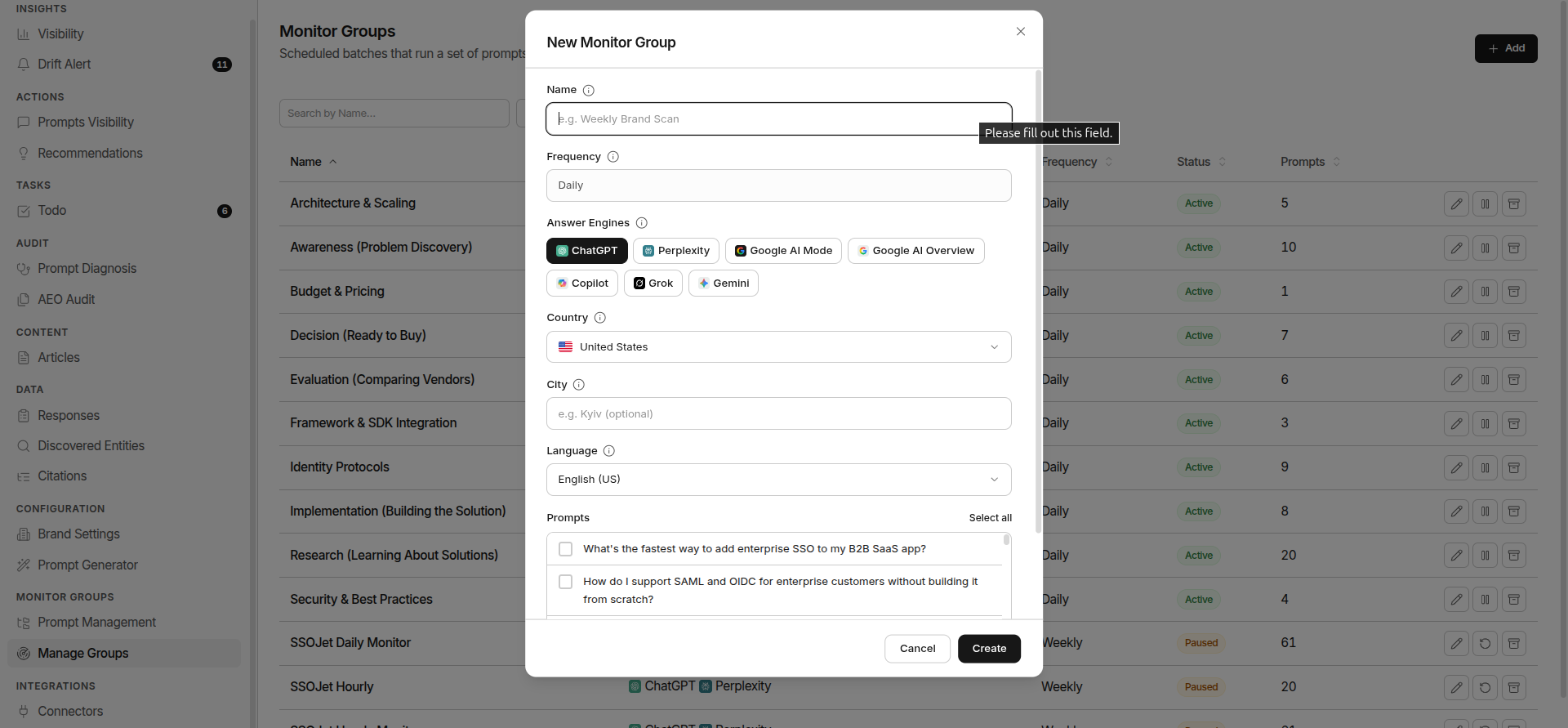
Go to Monitor Groups → Manage Groups and click + Create Monitor Group.
Name
A label for this group, for example Weekly Brand Scan or Comp-Datadog-Alternatives. Use the format [Type]-[Theme]-[Specifier] to keep your list organised as you scale.
Frequency
Frequency is set by your plan and shown read-only. Every monitor group in your workspace runs on the same plan cadence: daily, weekly, or monthly. You can't set frequency per group.
Answer Engines
Select the AI surfaces to query. Pick at least one. The number you can select is capped by your plan. Available engines:
Claude and DeepSeek are available on Enterprise plans only.
Country
Select the country your target audience searches from. GrackerAI runs each prompt as if a buyer is searching from that location.
City
Optionally narrow the group to a specific city (e.g. London, Kyiv). Leave blank to cover the whole country. City-level targeting is available on higher plans.
Language
Select the language the prompts are sent in. Applies to every prompt in the group.
Prompts
Choose which of your brand's prompts this group will run. Select at least one. Your plan sets a limit on how many prompts a single group can include.
AI Surfaces
GrackerAI runs your prompts across 9 AI platforms:
Monitor Group Actions
| Action | When Available | What It Does |
|---|---|---|
| Edit | Always | Update name, engines, country, city, language, or prompts |
| Pause | Active groups | Stop scheduled runs without losing data |
| Activate | Paused groups | Resume scheduled runs |
| Archive | Active or paused | Remove from active view. all historical data is preserved |
| Restore | Archived groups | Bring the group back to active status |