Recommendations
The Recommendations page lists actions GrackerAI suggests from your monitoring data. Go to Actions → Recommendations in the sidebar. The header shows how many actions are available for the selected date range.
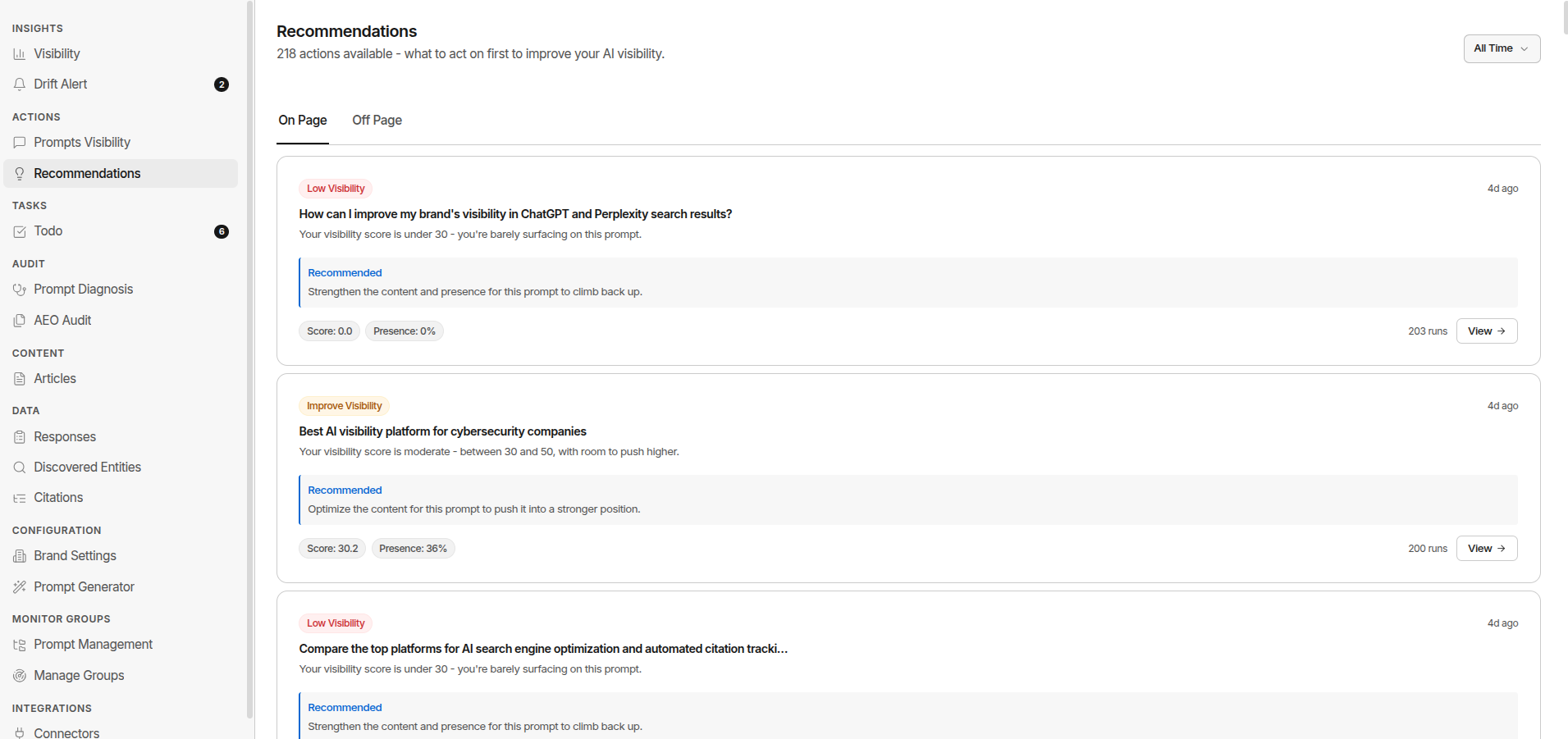
How to use it: Review weekly. Read the real responses behind a card before you act on it.
Two Tabs
The page has two tabs: On Page and Off Page. Each tab is a list of cards. Every card shows a type badge, a headline, a short diagnosis, a Recommended action, a few numbers, and a View button.
There are no priority levels and no way to mark a card done. A card goes away on its own when the data behind it changes, for example when a prompt’s score climbs above 50.
On Page
Things you fix on your own site.
| Card | When it appears | What View opens |
|---|---|---|
| Low Visibility | A prompt’s visibility score is under 30 | A side panel with the prompt’s details |
| Improve Visibility | A prompt’s score is between 30 and 50 | A side panel with the prompt’s details |
| AEO Audit | An audited page scores under 50 | That page’s audit report |
Prompt cards show the score, presence rate, and number of runs. AEO Audit cards show the page score, whether the page is cited, and the issue count. Only your 25 most recent audited pages are checked.
What to do:
- Click View and read the actual responses on the prompt
- Look at what was cited instead of you: a competitor’s page, a third-party source, a review site
- Decide whether you need new content or an update to an existing page
- For AEO Audit cards, fix the flagged checks on the page report
- Re-check in 4–6 weeks
Off Page
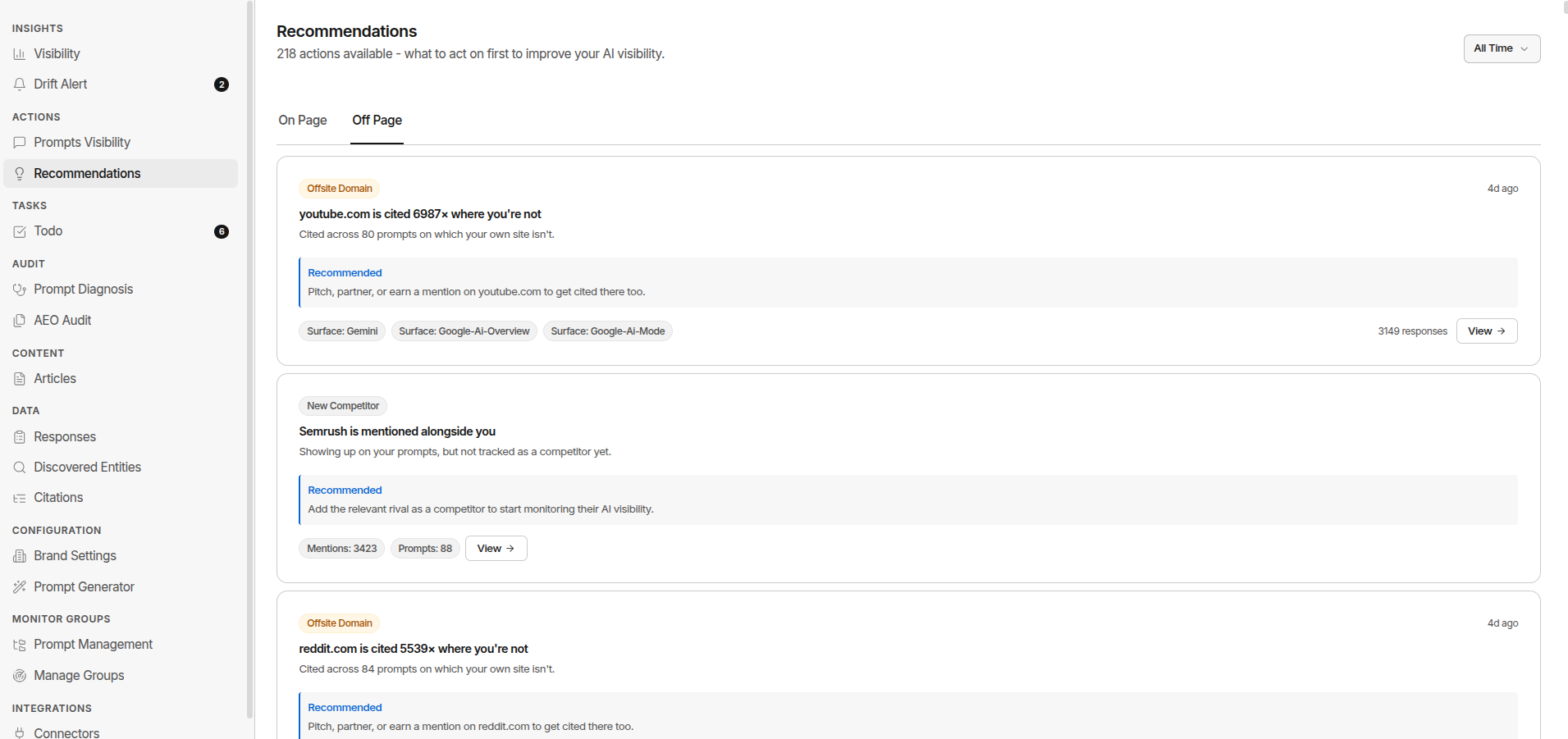
Things that happen on other sites.
| Card | When it appears | What View opens |
|---|---|---|
| Offsite Domain | A domain is cited on prompts where your own site isn’t | A side panel showing where that domain is cited |
| New Competitor | A brand shows up alongside you but isn’t tracked as a competitor | Discovered Entities, filtered to that name |
Offsite Domain cards show how many times the domain is cited, on how many prompts, and on which AI surfaces. New Competitor cards show mention and prompt counts.
What to do:
- Start with the most-cited domains
- Read what those domains publish and how AI quotes it
- Pitch the publication, ask to be added to listicles, or take part in the community
- For directories (G2, Capterra), make sure your profile is complete and collecting reviews
- For New Competitor cards, add the brand as a competitor if it is a real one
Don’t overreact to a single-week spike. AI models update often and can shift citation patterns for a while. Look for trends over 2–4 weeks before making big content decisions.
The Right Workflow
| Step | Action |
|---|---|
| 1. Review | Click View and read 3–5 actual responses before acting |
| 2. Implement | Create content, pitch press, engage communities, or fix the page |
| 3. Measure | Recheck the affected prompts 4–6 weeks after acting |
Warning: The most common mistake is acting on a card without first reading the responses it’s based on. The card shows you what to fix. The response shows you why.