
AEO Audit
AEO Audit scores the pages on your website the way an AI answer engine reads them - so you can see why a page is or isn’t getting cited, and exactly what to fix.
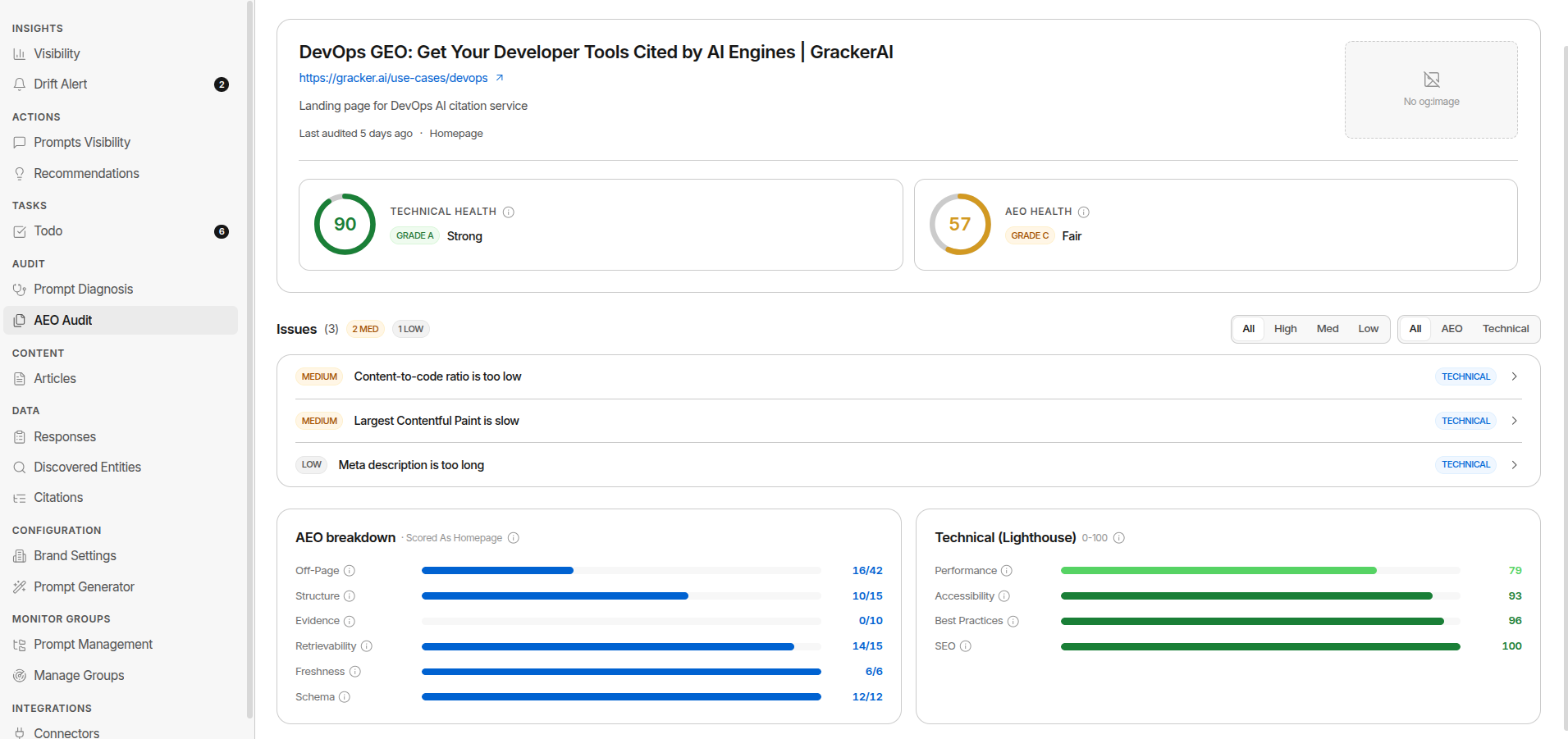
What AEO Audit does
AEO Audit builds a list of your pages from your sitemap, then runs a fixed set of 31 checks against any page you choose - 28 about the page itself (10 Technical, 13 Content, 5 AEO), 3 about your site as a whole. Cybersecurity brands get 12 more page-level checks on top of that (43 total) for Trust Score - the extra checks are simply not applicable, and don’t count for or against you, on non-security content.
Each check either passes, partially passes, fails, or is not applicable. A check that can’t be measured is excluded from the maths entirely - it never counts against you.
The scores
Page Health
One 0-100 score per page: how ready it is for AI search. It’s a weighted pass rate, not a simple count - critical issues count 5×, warnings 2×, notices 1×, so fixing a critical problem lifts the score far more than polishing a minor one.
Page Health excludes the three site-wide checks, so a site-level fact like a missing llms.txt never drags down an individual page.
The sub-scores
Page Health breaks down into independent sub-scores, shown on both the page detail and the AEO Audit overview:
| Sub-score | What it measures | |---|---| | AEO | Answer-engine trust signals that make assistants cite you: valid structured data, a declared schema type, FAQ markup, schema that matches the visible content, and sourced claims | | Content | Whether there’s readable content and whether it’s shaped to answer questions directly - main content present in the raw HTML, an up-front answer, question-style headings, one clear H1, heading order, title and meta description, dates and freshness, depth, tables and lists, original data, a named author | | Technical | Whether AI systems can fetch and read the page - status code, indexability, canonical, server response time, content-to-code ratio, sitemap membership, mobile viewport, and Core Web Vitals (LCP, INP, CLS) | | Trust | Cybersecurity content pages only: whether claims citing NIST, MITRE, or CISA point to real, working, on-topic sources. Shows “Not a security topic” on pages this doesn’t apply to |
Page status
Alongside the score, every page carries a status - the fastest read on whether the score is even worth acting on:
| Status | Meaning | |---|---| | Blocked | Your robots.txt or your server/CDN is rejecting AI crawlers - they never see the page | | Unreadable | The main content isn’t in the raw HTML. Most AI crawlers don’t run JavaScript | | Has errors | A critical check failed | | Warnings | Only warning-level checks fell short | | Healthy | Everything applicable passed |
Scores on Blocked and Unreadable pages are greyed out - fix access first, the numbers mean little until you do.
Site Health and Site setup
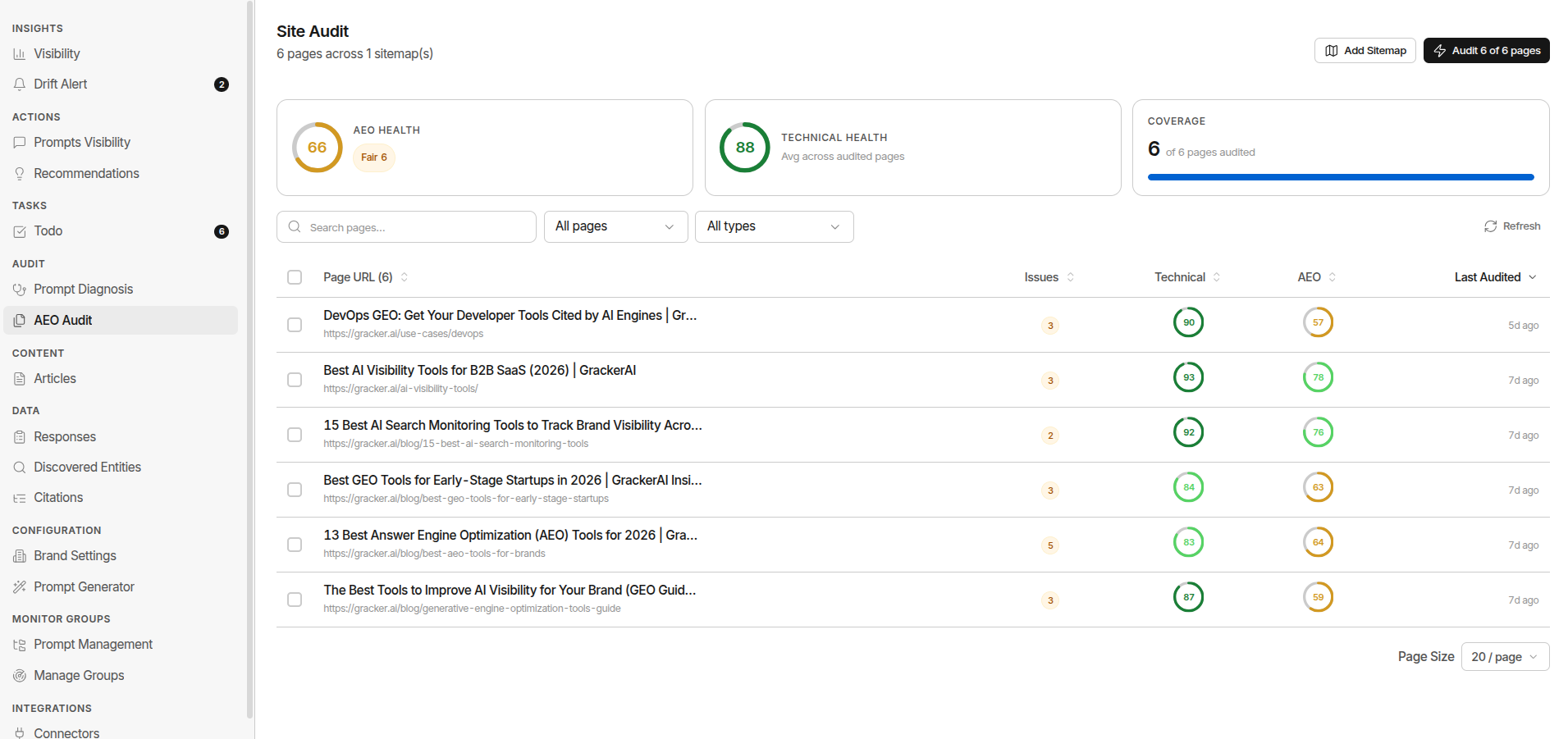
The AEO Audit overview rolls the pages up:
- Site Health - the average Page Health across every page you’ve audited, so it climbs as you fix pages and audit more. It’s charted over time so you can see progress. A site-wide AI-crawler block caps Site Health at 40 until it’s fixed.
- Site setup - scored separately from your pages, from the three site-wide checks: robots.txt rules for AI crawlers, server/CDN bot access, and your
llms.txtfile.
Running an audit
- Add your sitemap. AEO Audit is brand-scoped - pick a brand first, then add one or more sitemap URLs on that brand’s own domain.
- Pages stream in. As the crawl runs, discovered URLs appear in the pages table.
- Select pages and run the audit. Only the pages you select get scored - one page or many at once. Filter to Cited pages to audit the pages AI already quotes on your tracked prompts; those are the citations you most want to protect.
- Open a page to see its status, Page Health, sub-scores, and issue list. Re-audit anytime to track progress.
Reading the results
Open any audited page to get:
- Page Health and its sub-scores at the top, with the page’s status.
- Fix these first - the failing checks only, biggest score gain first, filterable by severity and by sub-score. Each row shows the measured value, a concrete fix, and exactly how many points fixing it adds to Page Health.
- See all checks - the full reference list grouped by sub-score, passes included, each with a one-line explanation of what it verifies and why AI search cares.
The overview has its own Fix these first across the whole site - the issues hitting the most pages, so you can fix one template instead of fifty pages.
Audit Limits by Plan
Your plan determines how many pages you can audit per calendar month:
| Plan | Page audits per month | |---|---| | Free | 500 | | Starter | 10 | | Scale | 2,000 | | Enterprise | Unlimited |
A batch that would exceed your remaining quota is capped to what’s left, rather than rejected. See Plans & Pricing for full plan details.
Where AEO Audit fits
AEO Audit is where a visibility problem turns into a concrete fix list.
- Visibility Diagnosis tells you which of your pages is losing a prompt - and automatically runs an audit on that page as part of its gap report, so the score is ready when you open it.
- Pair it with Content Gaps to find missing topics and Improve Visibility to prioritise the work.
Find it: Audit → AEO Audit







