Articles
Articles writes full content pieces built to earn AI citations - a new article from scratch, or a rewrite of a page you already have. Every piece is ready for you to review, edit, and publish once it's done.
Step 1: Pick a Mode
Every piece starts from one of two cards:
| Mode | Use It For |
|---|---|
| Create New Content | Nothing exists yet - write a fresh piece for a target page |
| Improve Existing Content | A page already exists but isn't earning citations - rewrite it |
Create New Content: the four types
| Type | Best For | Example |
|---|---|---|
| News Article | Category news and industry updates | A weekly roundup of threat-intel and EDR news, built from sources GrackerAI finds for you and cited inline |
| Blog Post | Educational topics that reward depth | "Complete Guide to Distributed Tracing in Kubernetes" |
| Listicle | "Best of" and category questions | "Top 10 EDR Platforms for Healthcare in 2026" |
| Product Comparison | Buyers comparing you to a competitor | "GrackerAI vs [Competitor]: Which AI Visibility Platform Is Right for You?" |
Then choose a length:
| Length | Word Count |
|---|---|
| Short | 200 - 500 words |
| Medium | 500 - 1,000 words |
| Long | 1,000 - 3,000 words |
Cybersecurity brands: when the SME Agent writes the brief for a piece, the article runs about 20% longer than the length above, to fit everything the expert supplied.
Improve Existing Content: how hard to rewrite
| Level | What It Does |
|---|---|
| Conservative | Light edits, keep the existing structure |
| Balanced | Rewrite sections, keep the overall shape |
| Full Rewrite | Start over completely |
Example: A comparison page gets cited by AI but the brand still isn't recommended from it - a Full Rewrite on that same URL changes how AI reads and recommends it.
Step 2: Tell It What You Want
Whichever mode you picked, a short wizard walks you through the rest:
| Section | What You're Setting |
|---|---|
| Prompt | The question or page this piece is written for |
| Type, Length & Slug (new) / Page (rewrite) | The type and length above, and where the new page will live - leave the URL blank and one is generated for you |
| Persona & Voice | Who it's written for (Personas) and how it sounds (Brand Voice), plus the search intent it should satisfy |
| Instructions | Anything specific, in plain English - "include a comparison table", an exact sentence to use, a link to add. Save one as a named template to reuse later |
| Competitors | Pages to research and differentiate from |
| Review | Everything above, one last look before it writes |
You can also give the AI-generated featured image its own guidance - "no stock photos, use brand colors, no text overlays" - or skip it and add your own image after.
What You Get Back
Every finished piece includes:
| Part | What It Is |
|---|---|
| The article | Full Markdown content, ready to edit |
| SEO title & meta description | Written to fit, not just truncated from the intro |
| FAQ + structured data | A closing FAQ section, plus the matching schema markup that helps AI and search engines read it |
| Sources | Every external page it drew from, listed at the end |
| Checked links | Every internal and external link is tested, so a broken one doesn't ship |
| Word count | Against the length you picked |
From there, publish straight to WordPress, HubSpot, or a headless CMS, or schedule it for later - see Integrations.
Writing a Good One
-
Start with a real gap. Three places point you toward what to write, and each carries different context into the wizard when you act on it:
Source Pick By What Carries Over Prompts Visibility Sort by Score, low to high - the worst-scoring prompts are your biggest gaps Row's ⋮ menu → Generate Content pre-fills the prompt; you pick mode and type Visibility Diagnosis Act on a content brief before a gap report - zero coverage is the bigger gap Create new content (brief) or Improve existing content (gap) opens directly, instruction box and competitor reference pre-written from the report Citations A competitor in your top 3, or a URL cited by 5+ surfaces with 80+ occurrences Row's action menu → Create content - your own cited page pre-fills as the page to rewrite, a competitor's as a reference Cybersecurity brands: generating from a diagnosis also carries over its already-verified NIST, MITRE, and CISA references instead of researching them again - see Cybersecurity Standards.
-
Pick the right type - listicles for category gaps, blog posts for educational gaps, product comparisons for evaluation queries, Improve Existing for pages that are close but underperforming
-
Generate the draft
-
Edit aggressively - treat it as a 70% starting point. Add real customer examples, specific numbers, original opinions, and depth your competitors don't have
-
Use the AI Assistant for the last mile - highlight any section for a quick fix, or type your own instruction
-
Publish and track - watch Citations over the next 4-6 weeks to see if it earns placements
Managing Your Content
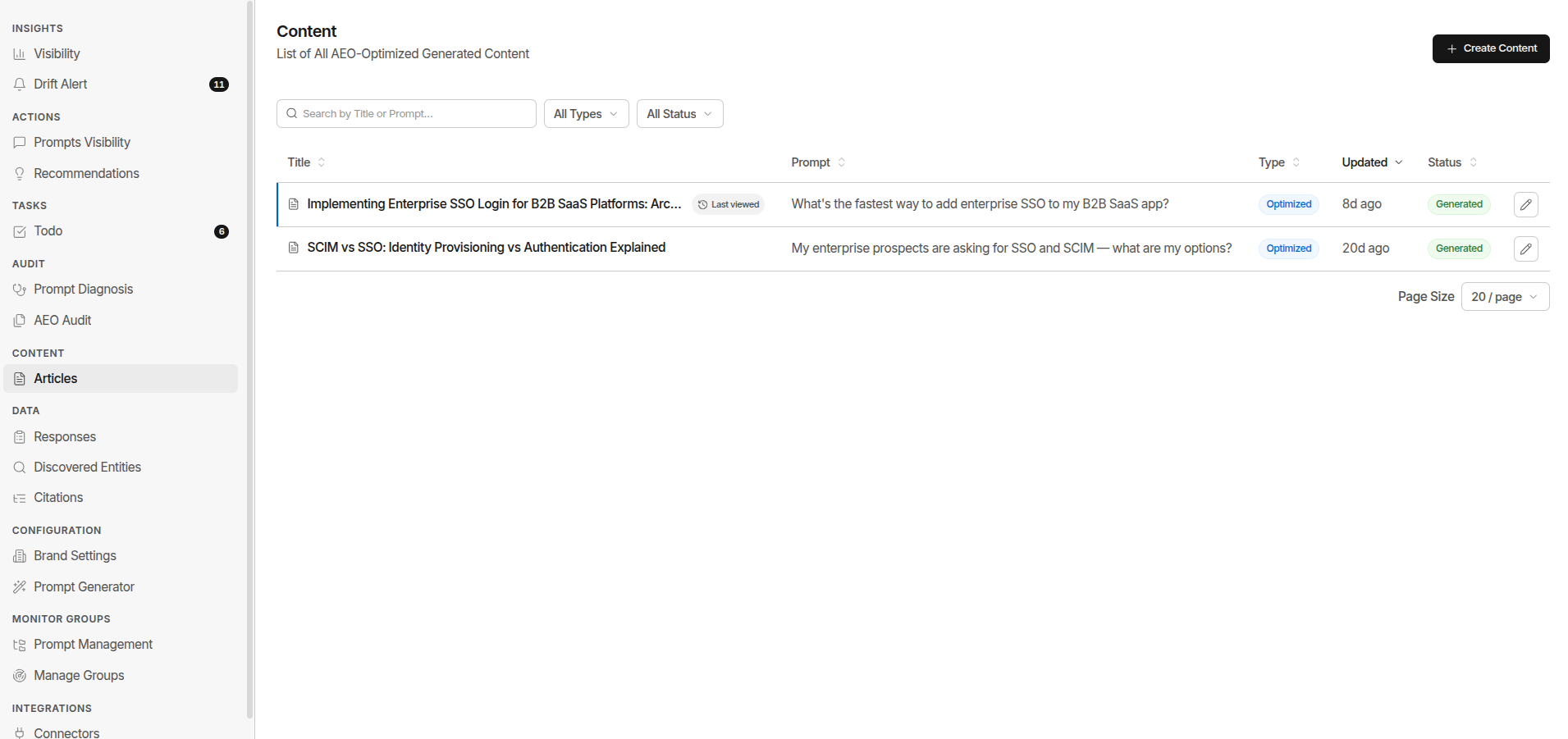
Go to Content → Articles for every piece you've made, with its Type (Optimized vs New) and the Prompt it targets - filter by either.
| Status | Meaning |
|---|---|
| Writing article | Generation is running |
| Ready to publish | Done - review, edit, and publish when it's right |
Once a piece is ready, publishing it replaces that badge with where it stands instead:
| Status | Meaning |
|---|---|
| Scheduled | Queued to go out at a set time |
| Published | Live (e.g. on WordPress) |
Click a row to open the full editor - read, edit, export:
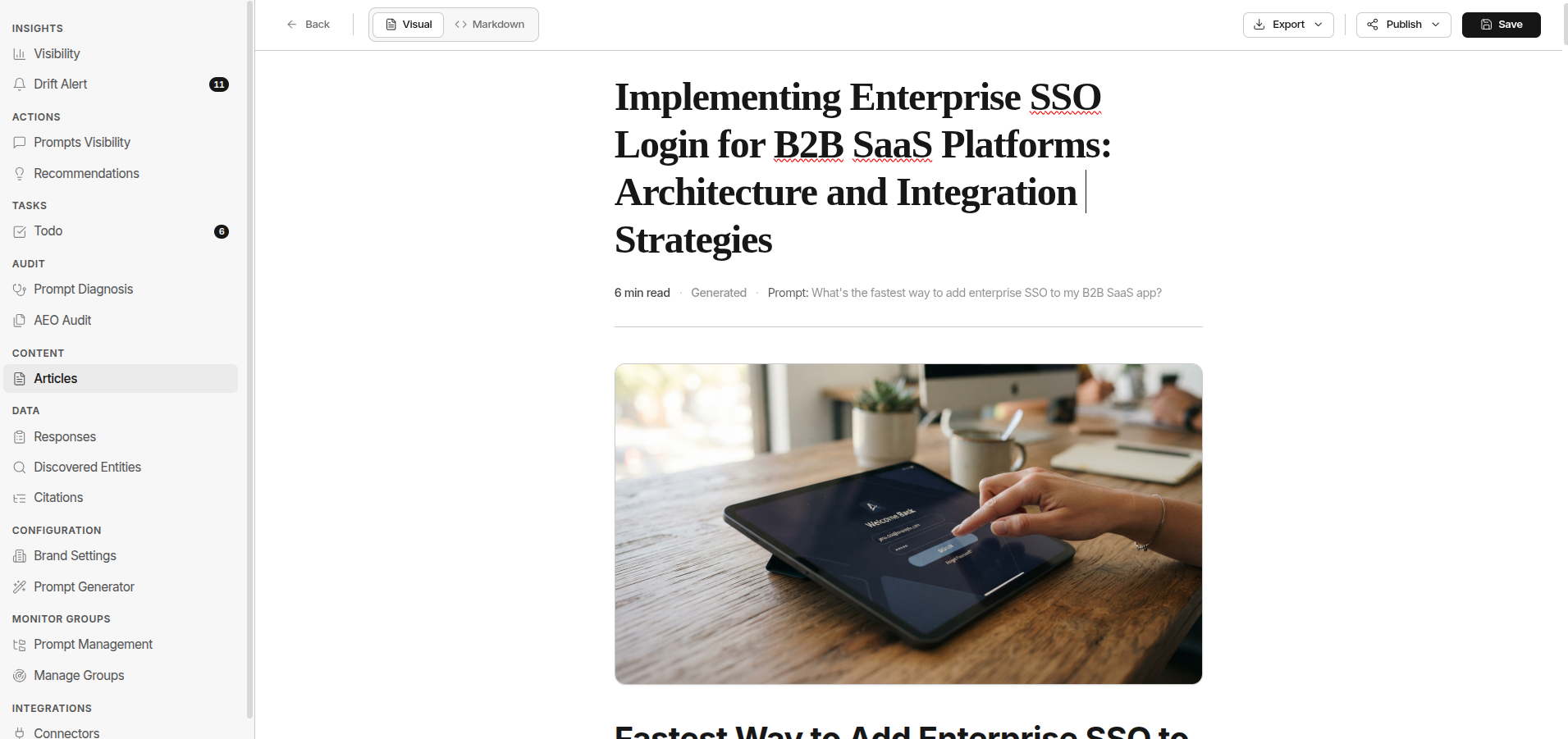
The AI Assistant
Inside the editor, highlight any text to open it:
| Quick Action | What It Does |
|---|---|
| Improve text | Rewrite for clarity, flow, and grammar - same length, same facts |
| Expand text | Add more detail and examples on the same topic |
| Summarize text | Condense to 2-4 sentences |
| Convert to bullet points | Turn the selection into a scannable list |
| Make formal | Rewrite in a polished, professional tone |
| Make casual | Rewrite in a warm, conversational tone |
You can also type your own instruction instead of picking one of these.
What Instructions Solves
The Instructions field always gets followed exactly: a sentence, a quote, a number, a stance - it goes in word for word, never paraphrased. Leave it blank and the piece defaults to generic. That's the real risk, not that any topic is off-limits.
| Want This in the Piece | Do This |
|---|---|
| Your founder's exact words or take | Paste it into Instructions |
| PR or analyst positioning | Paste the stance in Instructions |
| Original data or a customer quote | Paste the number and the quote. No real source, no fact - it gets dropped, not invented |
One thing Instructions can't fix: sensitive compliance or security content. Legal review is required either way. Even a verified citation still needs your judgment on whether it fits the claim. For CVE content, breach analysis, or threat intelligence, always get a security practitioner to review before publishing.
FAQ
What if my Instructions and Brand Voice disagree?
Instructions win. The order is Instructions, then Brand Voice, then the SME Agent's material, then Persona and Tone - each one only fills in where the one before it stays silent.
Why isn't a piece showing up in the Articles list?
For cybersecurity brands, it may still be on SME Agent Drafts - researching, or waiting on your review. Otherwise, check the Type filter: it may be filed under Optimized when you were expecting New, or the other way round.
Do I need to set a URL or slug myself?
No. Leave it blank on Create New Content and one is generated from the title. Set it yourself under Type, Length & Slug if the page needs to live at a specific address.
Does generating from a Visibility Diagnosis re-check its references?
No, for cybersecurity brands. It reuses exactly what the diagnosis already verified - no second search, and no drift between what you approved in the brief and what ships in the article.
What counts as a "fact" the writer is allowed to state?
Only something with a real, checkable source. Without one, it isn't invented - it's dropped.