
Billing & Plans
Manage your subscription from Manage Workspace → Billing (click your workspace name in the top navigation, then Manage Workspaces, then Billing in the left rail).
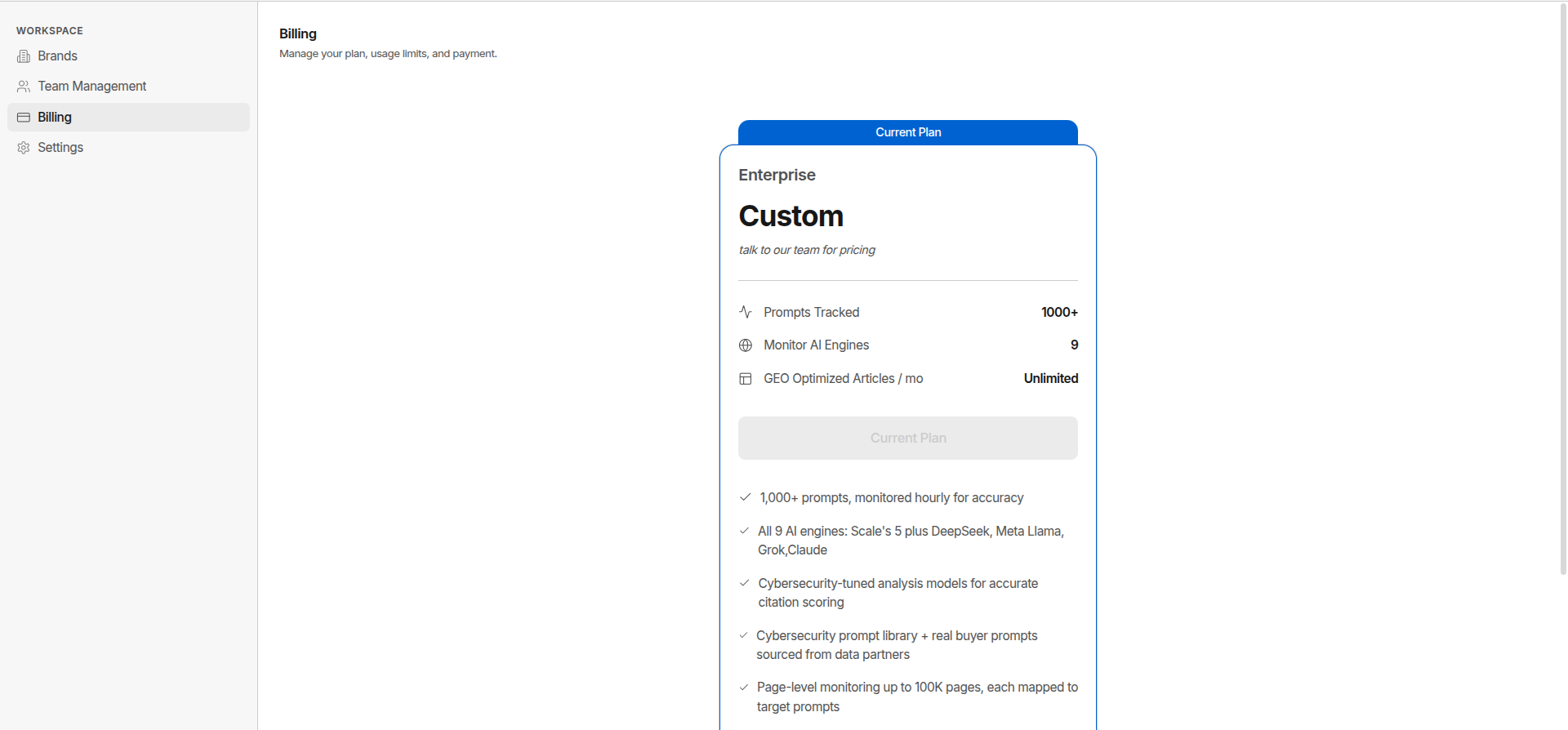
Plan Tiers
| Plan | Price | Trial | Who It’s For | |---|---|---|---| | Starter | $99/mo · $79/mo annual ($948/yr) | 7 days free, card required | Solo founders tracking one brand | | Scale | $499/mo · $399/mo annual ($4,788/yr) | 7 days free, card required | Growing teams needing full daily AEO/GEO coverage | | Enterprise | Custom | No self-serve trial, contact sales | Large orgs needing custom limits, SSO, and dedicated support |
What You Get
Monitoring & Tracking
| Feature | Starter | Scale | Enterprise | |---|---|---|---| | Prompts tracked | 100/week | 200/day | 1,000+/hour | | AI engines | 3 - ChatGPT, Perplexity, Google AI Mode | 4 - adds Microsoft Copilot | 11 - all major engines | | Visibility Diagnosis | 1/month | 5/month | 10+/month | | Prompt Diagnosis | 1/month | 5/month | 10+/month | | CVE Monitoring | Limited | Limited | Unlimited | | News Monitoring | Limited | Limited | Unlimited | | Competitor Benchmarking | - | - | Included |
Content & Publishing
| Feature | Starter | Scale | Enterprise | |---|---|---|---| | GEO-optimized articles | 3/month | 10/month | Unlimited | | Prompt Mining | 5/month | 20/month | Unlimited | | CMS Publishing | - | WordPress, HubSpot, Headless | WordPress, HubSpot, Headless | | White-Label Reports | - | - | Included |
Technical Audit
| Feature | Starter | Scale | Enterprise | |---|---|---|---| | AEO Audit pages | 50 | 200 | 100,000+ | | Content Topic Depth Audit | - | - | Included | | Page-Level Monitoring | - | - | Up to 100K pages |
Analytics
| Feature | Starter | Scale | Enterprise | |---|---|---|---| | Visibility score & trend | Included | Included | Included | | Presence rate | Included | Included | Included | | Citation tracking | Included | Included | Included | | Sentiment analysis | Included | Included | Included | | Trust Score | - | Included | Included | | Share of voice (SOV) | - | Included | Included | | Per-engine breakdowns | - | Included | Included |
Platform & Access
| Feature | Starter | Scale | Enterprise | |---|---|---|---| | MCP requests/month | 100 | 1,000 | Unlimited | | Seats | 1 | 4 | Unlimited | | SSO/SAML | - | - | Included | | API access | - | - | Included | | Single-Tenant Deployment | - | - | Included |
Team & Support
| Feature | Starter | Scale | Enterprise | |---|---|---|---| | Email support | Business hours | Business hours | Business hours | | Support SLA | - | 4 business days | 4 business hours | | Dedicated Account Manager | - | - | Included | | Migration Support | - | - | Included |
What Counts Toward Limits
| Limit | What It Counts | |---|---| | Prompts Tracked | Total prompts in your library across all monitor groups | | AI Engines | Distinct AI platforms actively monitored (e.g. ChatGPT, Perplexity) | | GEO-Optimized Articles | AI-generated articles created this calendar month, resets monthly | | AEO Audit Pages | Distinct pages crawled per audit run | | MCP Requests | Calls made through the MCP integration this calendar month, resets monthly | | Team Members | Active seats in your workspace |
Upgrade or Change Your Plan
- Go to Manage Workspace → Billing
- Find the plan you want and click its Upgrade or Downgrade button
- Confirm - changes take effect immediately
Upgrading unlocks higher limits right away. Downgrading takes effect at the end of your current billing period.
Activate a Free Trial
Starter and Scale both offer a self-serve trial - Enterprise requires a sales conversation to start.
- Go to Manage Workspace → Billing
- Click Start 7-Day Free Trial on the plan you want to try
- Enter your credit card details to start - a valid card is required, but you won’t be charged during the trial
Your trial gives you full access to that plan’s features for 7 days. You can cancel anytime before it ends to avoid any charges. When it ends without cancelling, billing begins automatically on the card provided.
Redeem a Lifetime Deal
The same flow applies for both AppSumo and DealFuel codes. Redemption happens on its own page (/redeem), separate from the in-app Billing page - use the link from your purchase confirmation email, or go to /redeem directly and sign in when prompted:
- Open the redemption link from your AppSumo or DealFuel confirmation email (or go to /redeem)
- Enter your activation code
- Click Redeem - GrackerAI validates the code and applies the lifetime deal to your account
Invoices & Payment
- Invoices - auto-generated each billing cycle, download from the Stripe billing portal (Manage Workspace → Billing → Manage Billing)
- Payment methods - credit card; invoice-based billing available for annual contracts
- Currency - USD by default; EUR/GBP available on annual plans
Annual Billing
Annual contracts are available on Starter and above:
- 20% discount vs monthly billing
- Locked rate for 12 months
- Custom terms available for Scale and Enterprise
Contact sales@gracker.ai to switch to annual billing.
Cancel or Pause
| Option | What Happens | |---|---| | Pause | Keeps all your data - suspends new monitor runs - pro-rated refund | | Cancel | Subscription ends at period end - data retained for 90 days, then deleted |
To cancel your subscription, see Cancel Subscription.
Pausing isn’t a self-serve toggle on the Billing page today - contact sales@gracker.ai to pause your subscription.
Resume After Cancellation
- Go to Manage Workspace → Billing
- On your current plan’s card, click Resume plan
Your previous data and settings are restored if you reactivate within the 90-day retention window.







