
WordPress Connector
Publish generated articles straight to your WordPress site via the WordPress REST API. no plugin to install. Content goes live on the domain AI engines actually crawl - title, body, excerpt, featured image and all.
Why Connect
| Benefit | What It Does | |---|---| | Faster time-to-citation | Skip copy-paste. push content from GrackerAI straight to a live WordPress URL that AI engines can crawl and cite | | Clean post fields, no plugin required | Title, slug, excerpt (meta description), featured image, categories, and author all set through WordPress’s own REST API | | One editing source | GrackerAI stays the source of truth. WordPress becomes the live destination, not a second place to edit | | No plugin to maintain | Connects over WordPress’s built-in REST API using an Application Password. nothing to install or keep updated |
Best for: Teams that already run their site on WordPress and want generated content live. and trackable in Citations. without a manual publishing step.
Setup
Step 1. Create an Application Password in WordPress
- In WordPress admin, go to Users → Profile → Application Passwords
- Enter a name for the application (e.g. “GrackerAI”) and click Add New Application Password
- Copy the generated password. WordPress only shows it once
Requirements: WordPress 5.6+, served over HTTPS, and a WordPress account with Author role or higher.
Step 2. Connect in GrackerAI
- Go to Integrations → Connectors, find WordPress
- Enter:
- Site URL. your WordPress site’s URL
- WordPress username. the account the Application Password was created under
- Application Password. the password generated in Step 1
- Click Connect
Publishing Workflow
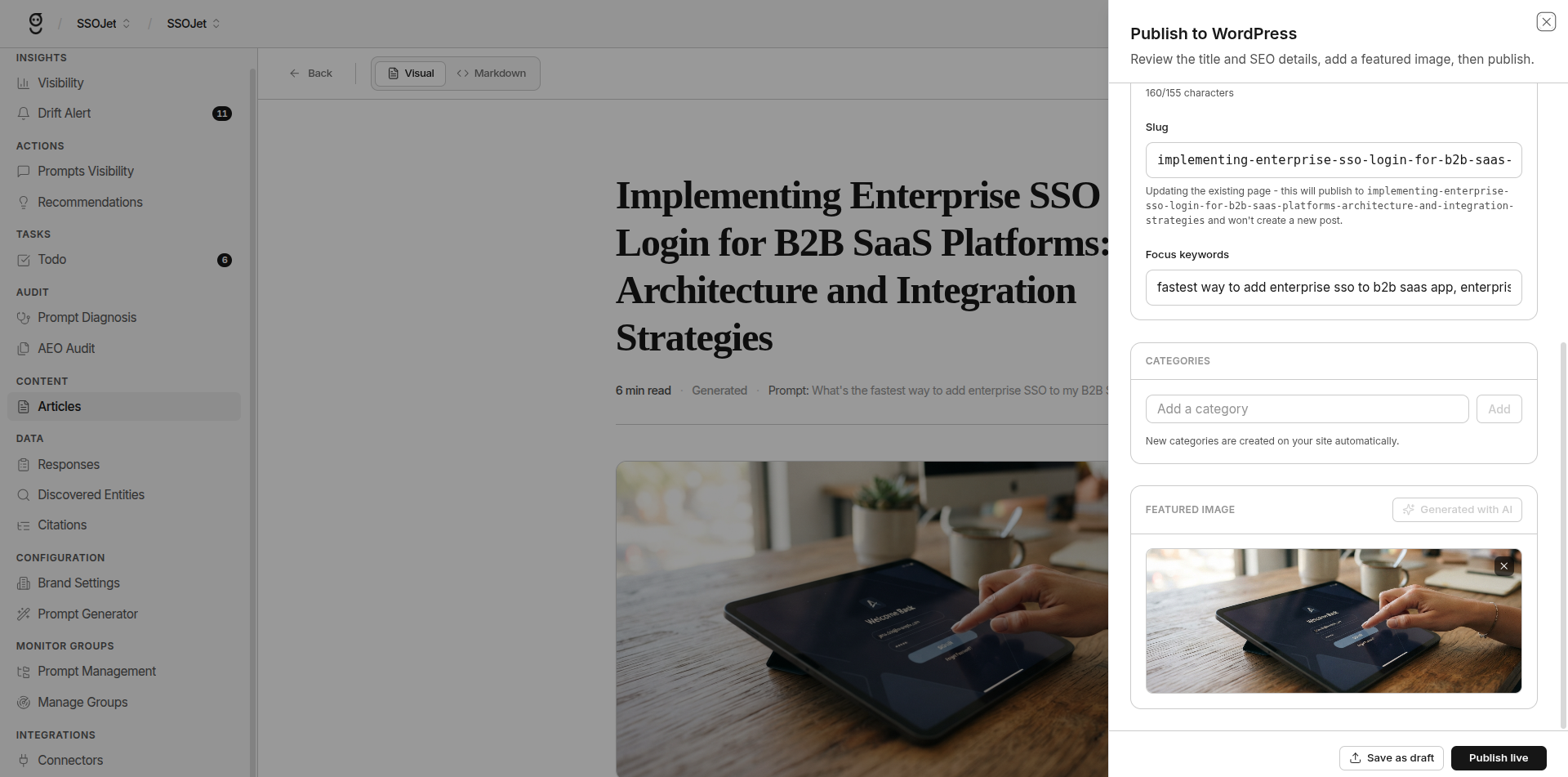
Once connected:
- Generate content in GrackerAI
- Click Publish to WordPress
- Choose draft or publish status
- GrackerAI pushes the post + featured image + excerpt + categories directly via the REST API
What Transfers
- Post title and slug
- Body content (HTML)
- Excerpt (your meta description)
- Featured image
- Categories
- Author byline (if author profile exists in WordPress)
Sync Direction
Push only (GrackerAI → WordPress). GrackerAI doesn’t pull edits back from WordPress, so make final edits in one place.
Recommended: Final-edit in GrackerAI before publishing. WordPress becomes the live destination, not the editing source.
Troubleshooting
| Problem | What to Check | |---|---| | 401 errors | Application Password revoked or mistyped. generate a new one in WordPress and reconnect | | Connection fails | Confirm the Site URL is correct and reachable over HTTPS. some security plugins block the REST API | | “Not connected” after entering credentials | Verify the WordPress account has Author role or higher and the site runs WordPress 5.6+ | | Featured image missing | Ensure WordPress media library accepts external URLs |







