
Integrations Overview
GrackerAI connects to your existing tools so visibility data, content workflows, and search insights flow where your team needs them.
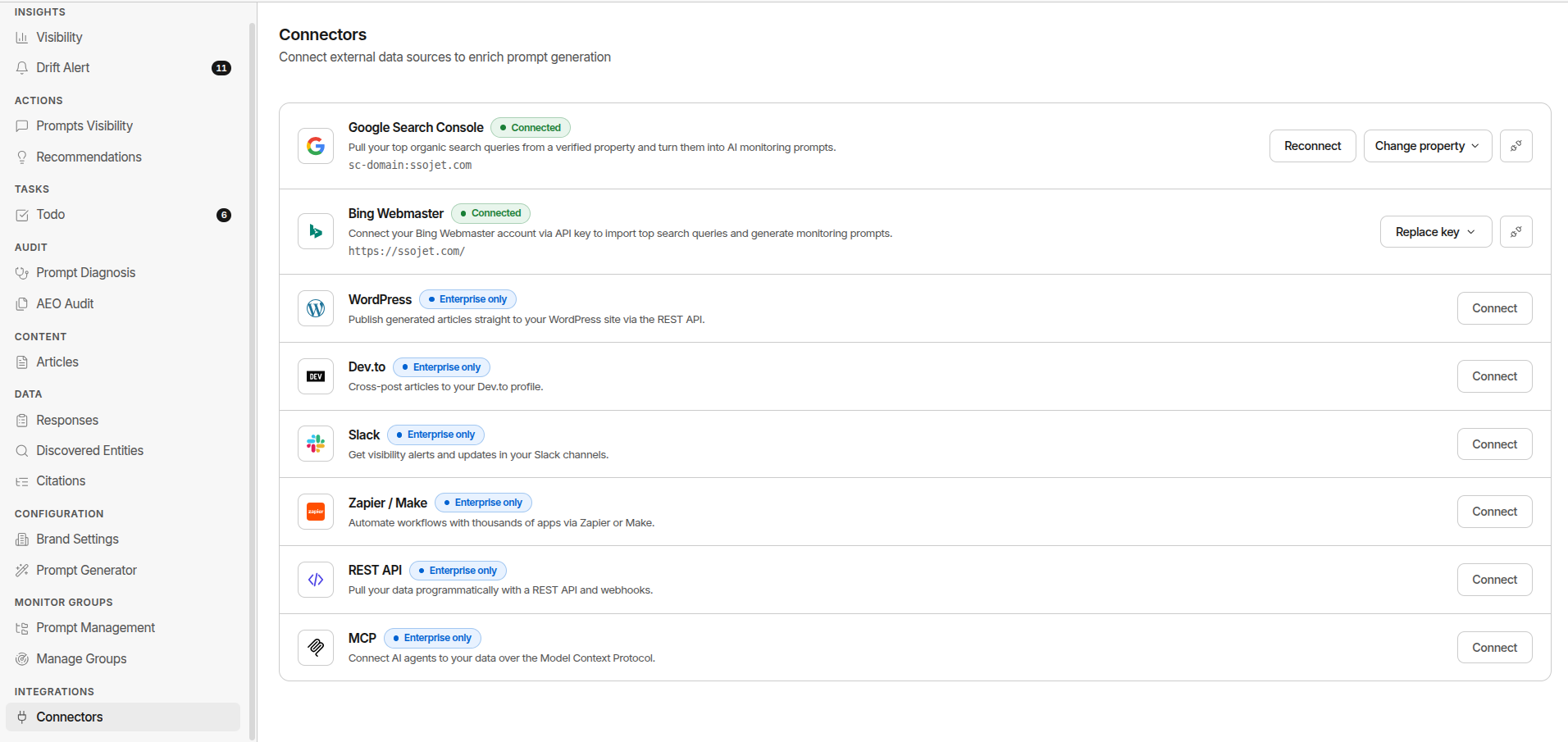
Available Integrations
| Integration | What It Does | |---|---| | Google Search Console | Import real buyer search queries to improve prompt suggestions and correlate search and AI visibility | | Bing Webmaster Tools | Add Bing search data. important for Microsoft Copilot surface performance | | WordPress | Publish AI-generated content directly to your WordPress site (Enterprise plan only) | | MCP | Connect GrackerAI as an MCP server for AI-native workflows | | GraphQL API | Query your visibility data through an MCP-connected AI assistant |
Also on the roadmap but not self-serve yet: Headless CMS, HubSpot, Dev.to, Slack, and Zapier / Make. We’ll link these up here once they ship.
Most Common Setups
B2B SaaS Marketing Team
- Google Search Console. import real buyer queries for better prompt coverage
- WordPress (Enterprise). publish content directly from Articles
- MCP. query visibility data from an AI assistant for ad hoc reporting
Cybersecurity Vendor
- Google Search Console. correlate AI visibility with organic search trends
- Bing Webmaster. track Copilot performance (critical for enterprise security buyers)
- MCP / GraphQL API. pull visibility data into an AI assistant for reporting
Agency Managing Multiple Clients
- Google Search Console. connect per-client GSC property for tailored prompt suggestions
- MCP / GraphQL API. pull visibility data per workspace into client reports
Authentication
Search connectors authenticate differently: Google Search Console uses OAuth 2.0, while Bing Webmaster Tools uses an API key. There’s no API-key mechanism for programmatic access - GraphQL API access goes through MCP, which authenticates with a real OAuth 2.1 flow (you sign in, pick which brands the connection can access, and the client gets short-lived tokens automatically). See MCP for details.
GrackerAI only requests the minimum permissions needed for each integration. You can review and revoke any connection at any time from Integrations → Connectors.
Where to Configure
Go to Integrations → Connectors (for search connectors and WordPress) or Settings → API (to connect an MCP client).







