
Migrating from Profound
Moving from Profound to GrackerAI doesn’t mean rebuilding your tracked prompts and topics from scratch. Profound only supports exporting Prompts and Topics - export both, send them to us, and our team imports them into your GrackerAI workspace.
Reference: Profound’s own guide covers this export flow in detail - Create, Manage, and Tag Prompts - Export Prompts.
Export Prompts
- In Profound, go to the Prompts tab inside Answer Engine Insights
- Find the download icon at the top of the prompts table
- Select the time period you want the export to cover
- Make sure no Group By filter is applied - grouping changes what gets exported (see Export Topics below)
- Click the download icon and choose JSON or CSV
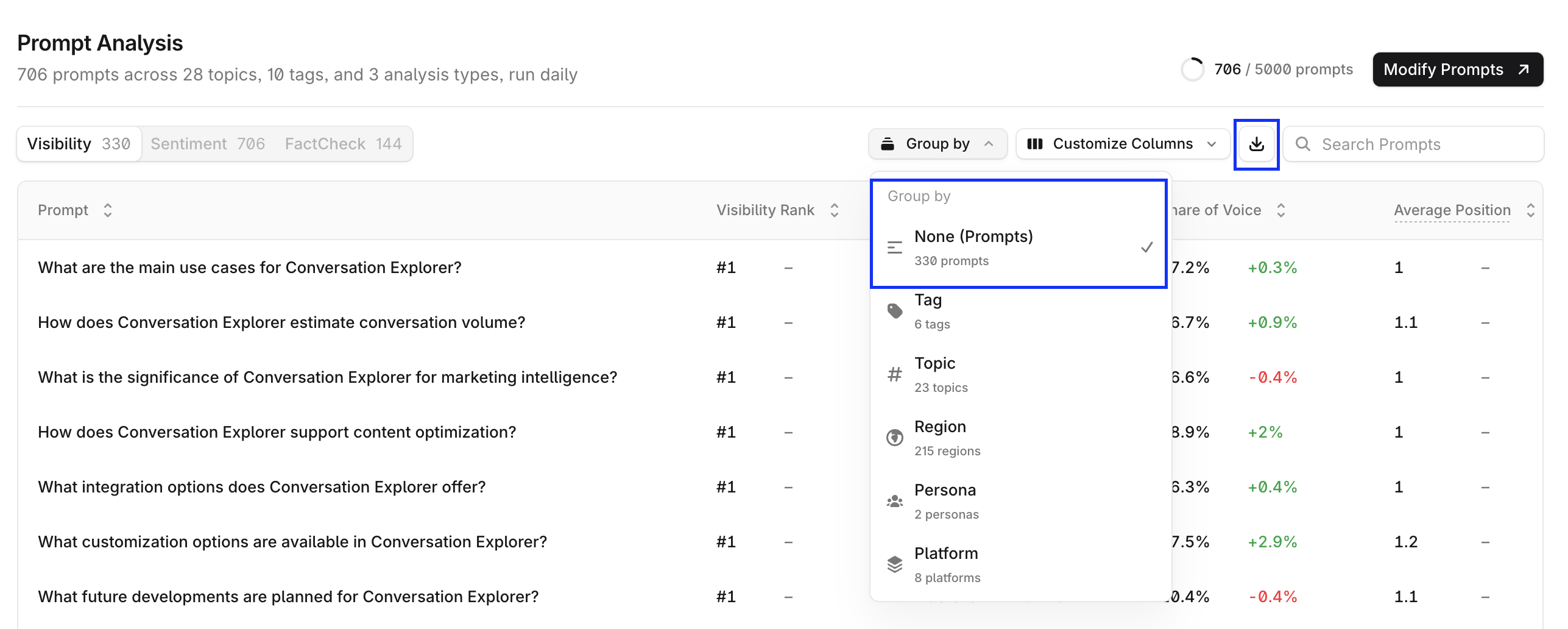
Tip: Large prompt libraries can take a while to generate - some Profound users report slow exports. If the download stalls, retry with a shorter time period rather than assuming it failed.
Each export includes the prompts you’re tracking along with their KPI performance:
| Field | What it is |
|---|---|
| Prompt | The tracked prompt text |
| Topic | The topic it’s grouped under |
| Tags | Any tags applied to the prompt |
| Visibility | Visibility score for that prompt |
| Average Position | Average ranking position in answers |
| Citation Share | Share of citations for that prompt |
| Citation Ranks | Ranking of citations |
| Executions | Number of times the prompt was run |
Export Topics
- In Profound, go to the same Prompts tab and find the same download icon
- This time, apply a Group By filter to group the table by topic
- Click the download icon and choose JSON or CSV
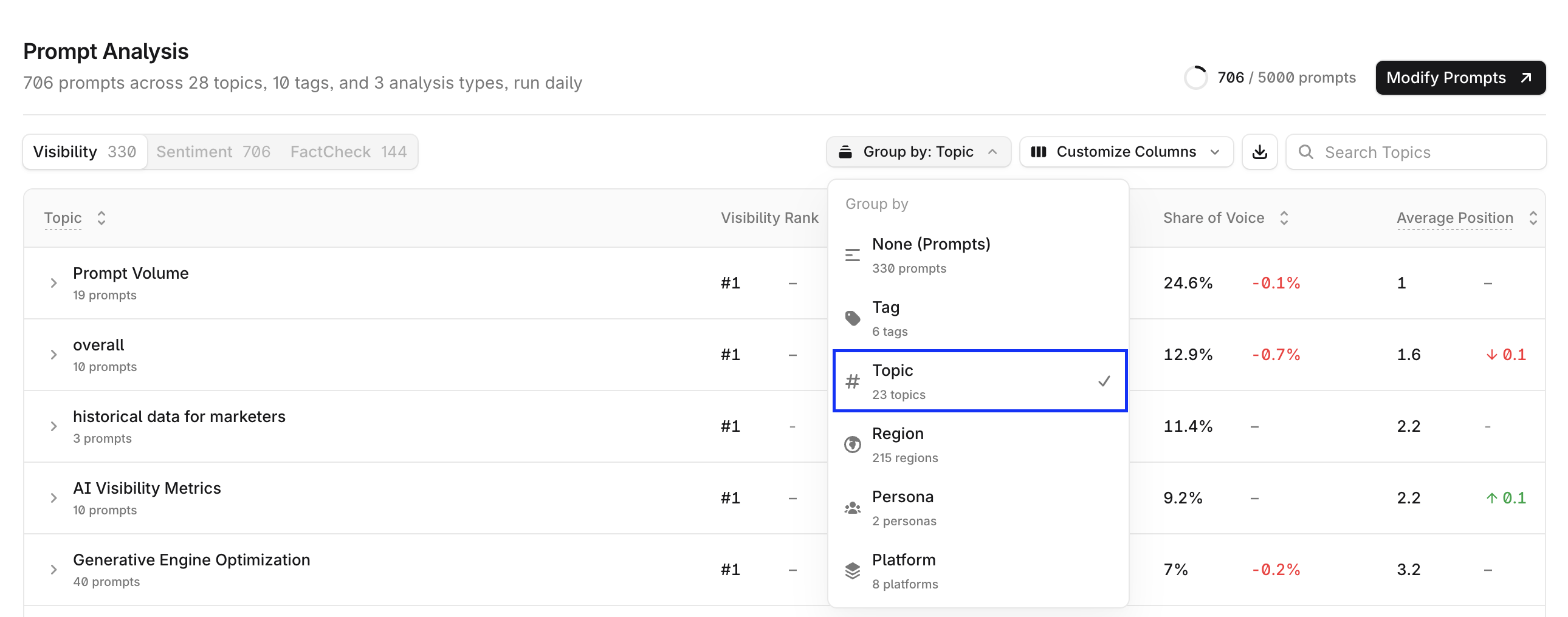
Grouping by topic before exporting is what turns the same download into a topics export instead of a prompts export - Profound doesn’t have a separate “export topics” button.
Send your export to GrackerAI
Email both files (Prompts export + Topics export, JSON or CSV) to support@gracker.ai.
Tip: Send both files in the same email - our team matches Prompts and Topics together on import, so sending them separately just slows things down.
Our team imports them into your GrackerAI workspace and confirms once your prompts and topics are live and being tracked. No action needed on your side while the import runs.







