My Docs
    • Introduction
    • Quickstart
    • Plans & Pricing
    • Cancel Subscription
    • Visibility
    • Workspace Modes: Brand vs Product
    • Connecting Your First Brand
    • Multi-Brand Setup
    • Multi-Product Setup
    • Brand Voice
    • Competitors
    • Competitor as Product
    • Personas
      • Visibility Score
      • Scoring Basics
      • Workspace Visibility
      • Monitoring Overview
      • Manage Groups
      • Best Practices
      • Prompt Management
      • Prompt Generator
      • Prompt Diagnosis
      • Visibility Diagnosis
      • Responses
      • Citations
    • Sentiment & Position
    • Mentions
    • Competitor Analysis
      • Drift Alert
      • Recommendations
    • AEO Audit
    • Articles
    • Improve Visibility
    • Tasks
    • Reporting & Exports
    • Troubleshooting
    • Overview
    • Google Search Console
    • Bing Webmaster Tools
    • WordPress
    • Headless CMS
    • HubSpot
    • Dev.to
    • Slack
    • Zapier / Make
    • Advanced Analytics
    • Content Gaps
    • Discovered Entities
    • GraphQL API
    • MCP
    • Workspace Management
    • Team Management
    • Security & SSO
    • Data & Privacy
    • FAQs
    • Glossary of Terms
    • Community & Support

Gracker AIDocumentation

Get your brand into the answer.

Your buyers ask an AI which tool to buy, and it replies with a shortlist. These docs cover how GrackerAI tracks whether you're on that list, why you're not, and what to change.
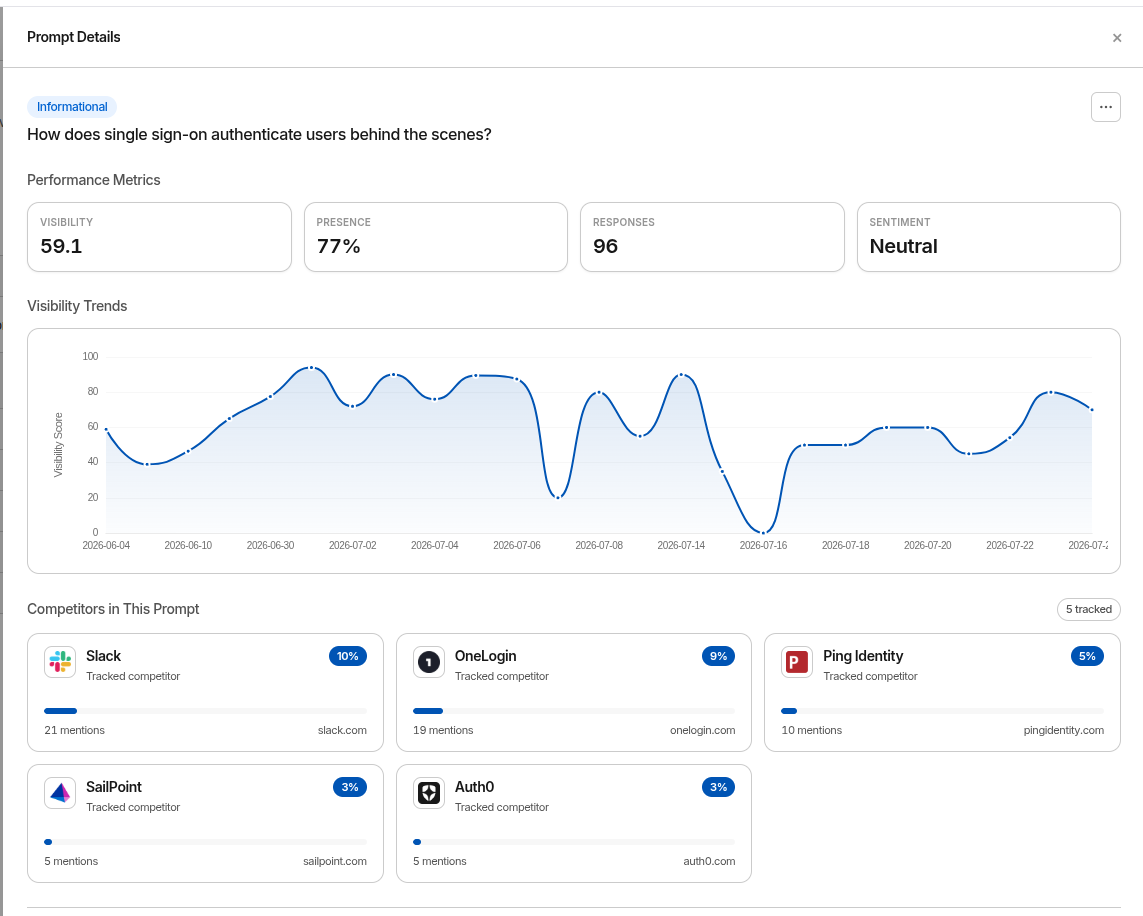
Prompt Details in GrackerAI - visibility, presence and sentiment for one prompt, its visibility trend, and the competitors named alongside you

Set up in three steps

01
Add your brand
Your domain, your competitors, and the personas who buy from you.
02
Choose your prompts
The real questions your buyers type. Write them yourself or generate a set.
03
Run a monitor
Ask those questions across the AI engines on a schedule, and score every answer.

Browse the docs

Getting Started
what the platform does, the metrics it reports, and your first run
Setup
brands, competitors, personas, workspaces, and multi-product accounts
Using Gracker
scores, prompts, monitors, citations, audits, and the content you write from them
Integrations
Search Console, Bing, WordPress, and connecting an AI assistant over MCP
Advanced Features
MCP, content gaps, discovered entities, and deeper analytics
Account & Support
teams, billing, security and SSO, data privacy

2026, GrackerAI