AI Chat with PDF: A Practical Guide for AEO-Focused Marketers and Visibility Strategists

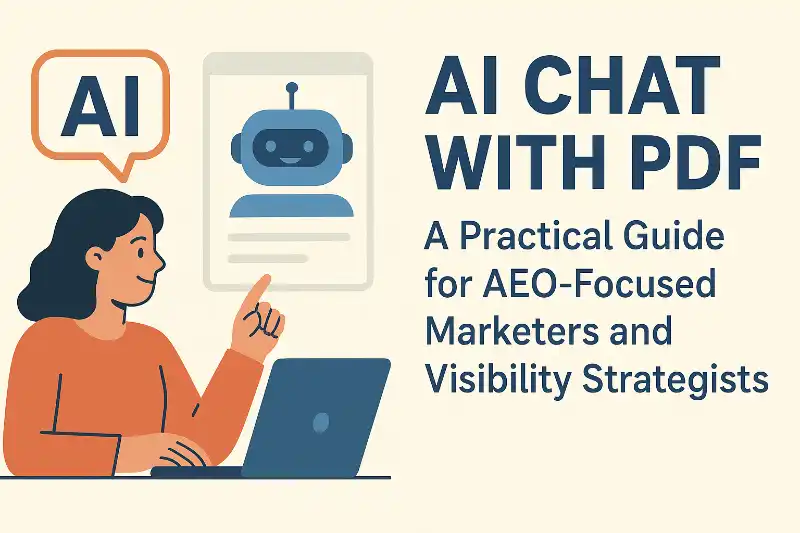
In the age of AI-powered search, getting discovered is no longer just about keywords — it’s about structured content, fast answers, and AI-ready data. Tools like ChatGPT, Perplexity, and Gemini rely on clear, citation-backed documents to recommend your brand.
That’s where AI Chat with PDF tools come in. For GrackerAI users — marketers focused on AEO (Answer Engine Optimization) and GEO (Generative Engine Optimization) — these tools help parse competitor whitepapers, rewrite assets into structured Q&A, and prepare documents optimized for AI visibility.
This guide explains how ChatPDF tools work, what tools work best for SEO/AEO professionals, and how to pair them with GrackerAI’s AI Search Visibility platform to boost visibility in AI answers.
📚 Table of Contents
What Is AI Chat with PDF?
How It Works
Why Gracker Users Need It
Common Use Cases for AEO/GEO
10 Best Chat with PDF Tools for Marketers
Real-Life GrackerAI Visibility Workflows
Privacy & AI-Compliance
FAQs
1. What Is AI Chat with PDF?
AI Chat with PDF tools allow you to:
Upload a whitepaper, pitch deck, guide, or report
Ask structured questions about it (“What problem does this product solve?”)
Get answers that are citation-backed and formatted cleanly
Use them to understand your competitors, extract Q&A for SEO, or prepare AI-digestible responses from static content.
Deep research on how Chat with PDF works
2. How It Works
Upload a PDF
AI extracts segments and indexes them
You type a question
AI matches it to the right content and returns an answer (with sources)
Advanced models use retrieval-augmented generation (RAG), an architecture that grounds a language model’s answers in an external knowledge base rather than relying only on what it memorized during training (IBM, “What is Retrieval Augmented Generation?”, retrieved 2026-09-19). That is the same grounding mechanism AEO/GEO content strategy tries to feed: structured, citable source material an engine can retrieve and quote from.
3. Why GrackerAI Users Need It
GrackerAI helps you get cited in AI-generated answers. Chat with PDF tools make your content:
Easier to structure in AEO-ready format
Digestible by AI search models
Optimized for snippet answers
Comparable against other brands’ positioning
4. Common Use Cases for AEO/GEO
Whitepaper Dissection – “List the top FAQs this report answers.”
Snippet Optimization – “Summarize this PDF into Q&A blocks.”
Competitor Research – “What is [competitor]'s value proposition?”
Content Repurposing – Turn static PDF content into web-structured answers
Industry Report Parsing – “What 2024 AI trends are mentioned here?”
GEO Benchmarking – “How does this content define its geo-tagged use cases?”
5. 🔟 Best AI Chat with PDF Tools for AEO Strategists
🛠 1. PDF7.app
Website: https://pdf7.app/
Key Features: Chat + 40 PDF tools, fast responses, citation view, no login
Free Tier: Unlimited
Best For: All-in-one PDF structuring, SEO repurposing, and snippet-ready rewrite
Press Release: PDF7.app launches AI Chat with PDF
🛠 2. ChatDOC
Website: https://chatdoc.com/
Key Features: Multi-format support (DOCX, EPUB, links), folder organization, citation highlight
Free Tier: 2 docs/day, 20 pages max
Best For: Sorting large doc sets for AEO-ready bullet summaries
🛠 3. ChatPDF
Website: https://chatpdf.com/
Key Features: Clean interface, PDF clustering, source snippets
Free Tier: Limited questions daily
Best For: Writing Q&A blocks for AI answers from pitch decks or one-pagers
🛠 4. AskYourPDF
Website: https://askyourpdf.com/
Key Features: Google Drive sync, chart parsing, GPT plugin
Free Tier: Basic uploads and queries
Best For: Extracting data tables and structured sections for web answers
🛠 5. Adobe Acrobat AI
Website: https://adobe.com/acrobat/ai-assistant.html
Key Features: Native Acrobat plugin, source mapping, secure storage
Free Tier: Trial available
Best For: Teams turning gated reports into AI-accessible content
🛠 6. Smallpdf Chat PDF
Website: https://smallpdf.com/chat-pdf
Key Features: OCR for scans, integration with Drive/Dropbox
Free Tier: Limited uploads per day
Best For: Parsing image-heavy sales decks or guides
🛠 7. PDF.ai
Website: https://pdf.ai/
Key Features: UI for legal or SaaS content, multiple PDF chat
Free Tier: Limited
Best For: Legal PDFs, contracts, policies in compliance docs
🛠 8. SciSpace
Website: https://typeset.io/
Key Features: 75+ language support, citation mapping, academic-grade answers
Free Tier: Yes
Best For: GEO-marketing in academic, research-heavy niches
🛠 9. Humata.ai
Website: https://humata.ai/
Key Features: Deep document insight, team usage
Free Tier: Yes
Best For: Brand teams optimizing gated whitepapers for AI search
🛠 10. LightPDF AI Reader
Website: https://lightpdf.com/ai-reader
Key Features: Collaborative doc chat, editable PDF + AI chat
Free Tier: Yes, basic
Best For: GEO-ready product document editing + team review
6. Real-Life AEO Workflows Using GrackerAI + ChatPDF
📌 Example 1: From PDF to AI Snippets
Upload your PDF whitepaper to PDF7 → Ask “Summarize in Q&A format” → Feed into GrackerAI for AEO scoring.
📌 Example 2: Competitive Breakdown
Use ChatDOC to upload 3 competitor PDFs → Ask “What solutions do they offer?” → Analyze AEO overlap in GrackerAI.
📌 Example 3: Rewriting for AEO
Extract key claims with ChatPDF → Rewrite into snippet-rich copy → Score with GrackerAI’s AI visibility tool
7. Privacy & AI-Compliant File Handling
PDF7.app: No file storage, instant deletion
ChatPDF: Deletes after session, no login needed
Adobe: Enterprise protection with audit controls
Always review compliance and attribution handling if your documents are confidential or branded.
8. FAQs
Q: Can I repurpose my PDFs for AEO directly?
Yes — use ChatPDF or PDF7 to rewrite as Q&A, benefit statements, or meta-answers.
Q: Can these tools improve GEO scores?
Indirectly, yes — by restructuring content into AI-digestible formats that rank better.
Q: Are these tools free?
Most offer solid free versions. PDF7 is fully free. Others offer trials or capped plans.
GrackerAI helps you win in AI search. With Chat with PDF tools, you convert dense docs into fast, structured, AI-crawlable answers — the core of every strong AEO + GEO strategy. For the wider AI marketing tool landscape these fit into, see our roundups of AI tools B2B marketing teams are using and the best AI content optimization tools, or see GrackerAI pricing directly.
![10 Best Local Rank Tracker Tools: In-Depth Comparison Guide [2025]](https://cdn.pseo.one/6abcb68a626591c40e1c8aa6/687e1c1ef6fe799d288518df/68809c373eb8562bcf68975d/10-best-local-rank-tracker-tools-comparison-guide/feature-image.jpg)