Vimeo Pricing Compared: 2025 Breakdown & The Smartest Alternatives

Ankit Agarwal · Head of Marketing
· Updated September 21, 2026
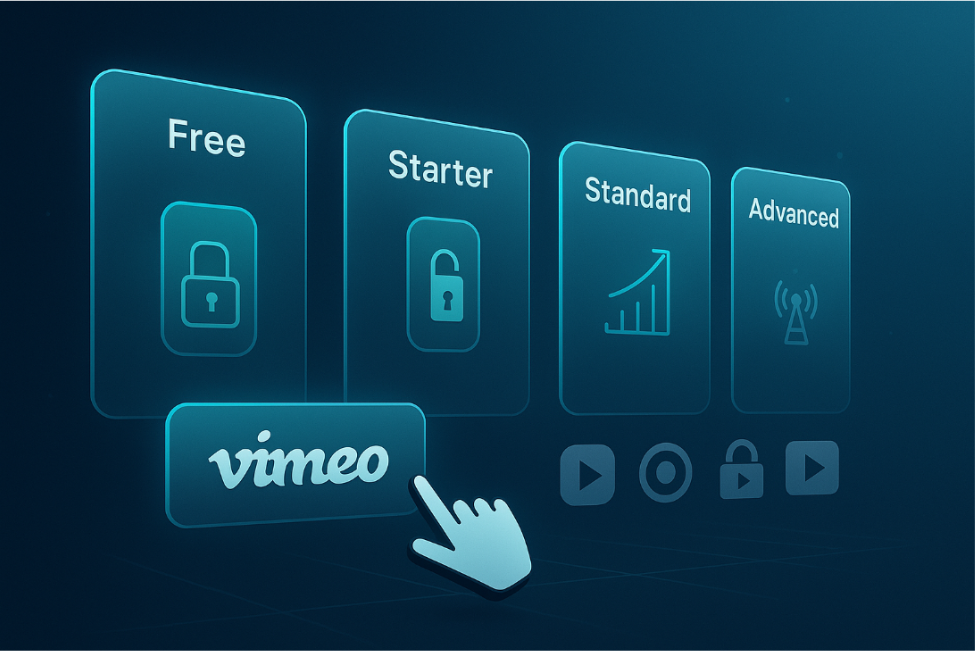
Vimeo’s pricing used to be straightforward. Then the 2024 pivot to seat-based Starter, Standard, and Advanced tiers layered in storage limits, bandwidth ceilings, and per-seat fees that pile up quickly. This 2025 guide unpacks every dollar and pits Vimeo against its sharpest rivals, so you can choose a video host that fits your budget—and your audience—without surprises.
2025 pricing snapshot
Vimeo retired its Plus/Pro/Business stack and now offers four public tiers: Free, Starter, Standard, and Advanced, plus a custom-quote Enterprise plan. Each bundle pairs a fixed storage pool with a limited set of included seats, and extra teammates or overages drive costs up quickly. The shift from a flat seat-based stack to storage-and-seat-tiered pricing mirrors a broader pattern across B2B SaaS — see the evolution of SaaS pricing models for how vendors moved from flat subscriptions toward tiered and usage-based structures.
Annual billing (paid up front) trims each seat price by roughly forty percent compared with month-to-month rates:
Plan | Price per seat / mo (annual) | Storage cap | Seats included | Signature perk |
|---|---|---|---|---|
Free | $0 | 1 GB | 1 | Ad-free playback, two uploads per month |
Starter | $12 | 100 GB | 1 | Password privacy, basic analytics |
Standard | $20–25 | 2 TB | 5 | Logo-free player, calls-to-action |
Advanced | $65 | 7 TB | 10 | Webinars & live events (≤ 100 attendees) |
Enterprise | Custom | Custom | Custom | SSO, higher bandwidth, priority support |
Vimeo’s plan names and per-seat prices have changed more than once in the last two years. Coverage of a further 2026 restructuring — some sources describe Starter, Standard, and Advanced being folded into differently named Creator, Core, and Professional tiers — is inconsistent across secondary sources as of this writing, and Vimeo does not publish those newer tier prices directly. Confirm current tier names and prices at vimeo.com/pricing before budgeting against the figures below (retrieved 2026-09-16).
Two structural shifts matter most:
-
Seat limits. Starter covers one user; adding teammates either pushes you into Standard or adds per-seat fees.
-
Lifetime storage. Vimeo replaced weekly upload quotas with total storage buckets; uploads stop once you reach the cap until you upgrade.
The Free tier can still serve as a quick test drive, but its 1 GB ceiling and mandatory watermark nudge even hobbyists toward a paid option.
Plan-by-Plan Breakdown
Free (Basic): a true test drive
You get ad-free playback, yet the leash is short. New accounts can upload two videos per month, capped at 1 GB total. Every embed carries a Vimeo watermark, and anyone with the link can share it. Great for a demo reel; impractical for a growing content calendar.
Starter: the solo toolkit
At about $12 per seat with annual billing, you gain one seat, 100 GB lifetime storage, password protection, and basic engagement stats. You may add teammates, up to 200 seats, yet each additional seat carries the Standard rate, so a two-person shop usually upgrades to Standard for better value.
Standard: where marketing turns on
Standard removes the watermark and lifts the ceiling. You get five seats and 2 TB of storage for roughly $20–25 per seat when billed annually. Custom branding, calls-to-action, and video-on-demand sales turn views into leads. Keep an eye on analytics, as viral spikes that cross the 2 TB-per-month fair-use limit can prompt an upsell email.
Advanced: live events without the truck
At about $65 per seat on annual billing, Advanced grants 10 seats, 7 TB lifetime storage, and Vimeo’s webinar engine. Each event supports up to 100 registrants and two concurrent streams. AI editing and script tools shorten prep time. The familiar 2 TB monthly bandwidth ceiling still applies; pass that mark in two separate months and Vimeo usually steers accounts toward Enterprise.
OTT: revenue share instead of rent
OTT sits outside the regular tiers. Vimeo collects $1 per active subscriber each month plus 10 percent and $0.50 on each rental or purchase (payment-processor fees are extra).
Revenue model | Vimeo fee | Notes |
|---|---|---|
Subscriptions (SVOD) | $1 per active subscriber | Gateway fee adds about 2.5 percent + $0.30 |
Rentals and purchases (TVOD) | 10 percent + $0.50 per transaction | Processor fee included in the 10 percent cut |
Creators receive 100 free coupons and screeners each month; extras cost $1 each. Uploading beyond the first hour of video triggers one-time charges, such as $99 for 10 hours.
OTT launches branded apps for iOS, Android, Roku, and Fire TV without code, so you can test paid content quickly. Just crunch the numbers: 1,000 paying subscribers equals about $1,000 in platform fees before gateway costs, and at five-figure subscriber counts a flat-rate host may become cheaper.
Enterprise: custom price, custom ceiling
If your organization requires SSO, petabyte-scale storage, or six-figure attendee counts, Enterprise removes hard caps and pairs you with a dedicated success manager. Pricing comes by quote after Vimeo reviews your seat and bandwidth forecast. Perfect for global town halls; excessive for a startup chasing its first viral hit.
Contracts typically include:
-
Custom seats (no 200-seat limit) with role-based permissions
-
Unlimited storage and bandwidth negotiated in advance
-
Single sign-on (SAML 2.0 or SCIM) for secure, company-wide access
-
Enterprise eCDN integrations (Hive, Kollective) that keep internal town halls from clogging office networks
-
A named success manager and 24 / 7 support SLA
Hidden costs and limitations you can budget for
Vimeo’s price tag covers only half the expense. Four limits can trigger surprise emails or stalled uploads unless you track them closely. The challenge is that Vimeo’s storage and bandwidth ceilings are hard stops that force an upgrade once you cross them, rather than letting you keep growing at a predictable rate. Some hosts take the opposite approach. Spotlightr, for example, charges a flat $0.05 per additional gigabyte of bandwidth without interrupting playback or cutting off uploads, so teams know exactly what a traffic spike will cost before they commit to a bigger plan.
-
Bandwidth (all paid plans) Each subscription includes up to 2 TB of streaming data per month. Passing that threshold in two separate months, or hitting 10 TB once within a year, prompts Vimeo to request an upgrade to a custom plan. Two terabytes sounds generous, yet a five-minute HD video played 400,000 times burns through it.
-
Total storage (accounts opened on or after June 17 2024) Starter, Standard, and Advanced accounts created after that date hold lifetime caps of 100 GB, 2 TB, and 7 TB. Uploads pause once the ceiling is reached.
-
Seats Starter bundles one seat, Standard five, Advanced ten. Extra teammates carry the plan’s per-seat price. Adding three editors to Standard raises the invoice from about $25 to $40 per seat, a 60 percent increase once prorated monthly.
-
Support SLAs Response times shrink as price rises: Starter about 8 hours, Standard about 6 hours, Advanced about 2 hours, while Enterprise offers 24 / 7 chat. If launch windows are critical, bake that lag into the risk model.
None of these limits becomes a deal-breaker when they are planned in advance. Track bandwidth, storage, and seat count each quarter, keep a cash buffer for sudden growth, and add SLA timing to the launch schedule to avoid frantic surprises.
Which Vimeo plan fits your reality?
Think in numbers, not just labels. Match your next six months of growth to the metrics that matter most: storage, seats, and monthly bandwidth.
Profile | Typical workload | Plan “floor” | Why it fits |
|---|---|---|---|
Solo creator / freelancer | ≤ 50 GB total video, < 50 GB per month streaming | Starter | One seat, 100 GB lifetime storage, no ads. Logo remains, and most clients accept it. |
Course creator / educator | 50 GB–1 TB library, domain-lock required | Standard | Removes logo, locks embeds to your LMS, adds lead-gen CTAs. Five seats cover a TA or editor. |
Marketing team (SMB) | 1–3 TB library, 2–5 team members, live demos quarterly | Standard → Advanced after live events top 100 registrants | Advanced provides webinars and 10 seats; still subject to the 2 TB per month bandwidth fair-use limit. |
Enterprise / high-volume broadcaster | > 2 TB per month bandwidth or SSO / security mandate | Enterprise | Custom bandwidth, SAML SSO, eCDN options, 24 / 7 support SLA. |
Quick rule of thumb: if bandwidth can exceed 2 TB in any two months this year (about 400 K plays of a five-minute HD video), consider an internal CDN strategy or request an Enterprise quote.
Still torn? Default upward. Upgrading mid-campaign is painless; hitting a hard cap during launch creates needless stress.
Top Vimeo Alternatives in 2025: Pricing, Features, and Best Use Cases
Spotlightr — lock-tight security for course creators
Spotlightr keeps paid lessons behind a door only your students can open. Each upload can be wrapped in HLS segmentation encryption and played through a token-protected player; popular ripping plug-ins receive only useless fragments.
The entry-level Light plan costs $15 per month on an annual contract (Spotlightr pricing, retrieved 2026-09-16) and includes:
-
200 GB of CDN bandwidth each month; additional data is $0.05 per GB on the next invoice
-
Complete white-label control: add your logo, colors, and player chrome from day one
-
Domain whitelisting so embeds play only inside your LMS or membership site
-
In-player quizzes, timed CTAs, and view-progress data ready for most LMS hooks
A pay-as-you-grow model means a sudden traffic spike does not freeze streams, and any overage simply appears on the next bill. Live-chat support is available even on Light, a bonus for course creators working on tight timelines.
If revenue relies on content staying private—such as premium workshops or cohort-based courses—Spotlightr’s security stack and transparent metering offer more peace of mind than Vimeo’s Starter or Standard tiers.
Wistia — turning views into qualified leads
Wistia focuses on marketers who judge success by contacts added to the CRM rather than watch time.
-
Price: The Business plan costs $79 per month on an annual contract, with 250+ GB storage, 1 TB bandwidth, and three included users at $25 per extra user (Wistia pricing, retrieved 2026-09-16). A free plan (25 GB storage, 200 GB bandwidth, one user) sits below it, and a Business + Signals tier ($329/month annual) adds lead-scoring automation.
-
Lead capture: place an email gate anywhere in the timeline and pipe new contacts directly to HubSpot, Marketo, Pardot, Active Campaign, Klaviyo, and other marketing platforms.
-
Analytics: second-by-second heat maps reveal exactly where viewers rewind or exit.
-
A/B tests and captions: swap thumbnails on the fly, auto-generate captions, and edit transcripts in the browser.
-
Webinars: native live webinars are available on paid plans.
Bandwidth runs 200 GB per month on the free plan and 1 TB per month on Business. Wistia does not publish a standard per-GB overage rate, so confirm current terms before committing to a growth plan.
If your KPI is qualified leads, Wistia’s marketing DNA—email gates, CRM hooks, and thumbnail tests—offers the sharpest toolset in this lineup, though at a meaningfully higher entry price than Spotlightr or Dacast now that the old $19/month Plus tier is gone.
Dacast — bandwidth transparency for live-first brands
Dacast prices capacity, not features. The Starter plan costs $39 per month on an annual contract (Dacast pricing, retrieved 2026-09-16) and bundles every core tool: white-label player, DVR, pay-per-view paywall, and full API access.
-
Starter: 2.4 TB bandwidth per year (≈ 200 GB per month) and 500 GB storage
-
Scale: 24 TB per year and 2 TB storage at $165 per month (annual)
-
Event: $63 per month on an annual contract, with 6 TB bandwidth and 250 GB storage, ideal for a multi-day conference
Additional bandwidth runs $0.25 per extra GB, eliminating surprise “fair-use” emails.
Streams travel on Akamai’s global CDN, so viewers in Singapore or São Paulo experience the same low latency. Pairs that reach with countdown timers, server-side recording, and geo-blocking, and you operate a micro-broadcast network without hiring engineers.
The trade-off is polish: analytics and thumbnail tools feel basic, and marketers may miss Wistia-style A/B tests. If your key metric is concurrent viewers at predictable cost, Dacast’s ledger-style pricing outperforms Vimeo’s bandwidth guessing game.
YouTube — reach without restraints, control without hope
YouTube shines through sheer scale. Google does not publish an official current user count, but independent trackers commonly estimate YouTube’s monthly active user base at roughly 2.5-2.7 billion (industry estimates, retrieved 2026-09-16). You can upload a 12-hour, 256 GB 8K file or stream a product launch to a million viewers at no charge; no other service offers that reach.
Freedom, however, brings trade-offs:
-
Branding. Every embed shows YouTube’s logo, and suggested videos often steer viewers toward competitors.
-
Privacy. Choices stop at unlisted, private, or members-only playlists; each one can still be screen-recorded or shared.
-
Monetization control. Mid-roll ads could promote rival products unless you disable monetization and forego revenue.
-
Analytics depth. Metrics cover likes, comments, and retention curves but exclude built-in email capture or CRM sync.
-
Policy risk. A copyright or guideline strike can hide or remove a flagship tutorial with limited recourse.
Use YouTube as an unlimited megaphone. Publish teasers, trailers, and public content to bring in new eyes, then move paying students or internal videos to a locked-down host such as Vimeo, Spotlightr, or Dacast once control matters more than clicks.
Why Your Video Host Also Shapes AI Search Visibility
The plan you pick affects more than your invoice. It also affects whether AI answer engines can find and cite what’s in your videos.
ChatGPT, Perplexity, and Google AI Overviews do not watch video. They read what surrounds it — transcripts, captions, and page metadata. A host that strips transcripts on cheaper tiers, or gates captions behind a paywall, removes the exact material an answer engine needs to summarize or cite your content.
If your team is building product videos with AI search in mind, the hosting plan is part of that decision, not separate from it. The same logic applies to webinar replays repurposed into evergreen content — a transcript-friendly host is what makes a one-time event reusable months later.
GrackerAI’s AI visibility tracking measures which pages get cited across these answer engines, including video-supported pages, which is one way to check whether a hosting choice is helping or hurting your citation rate.
Conclusion: The Smartest Video Hosting Choice in 2025
Vimeo works well if your library is modest and you value branding polish, but its seat-based pricing and bandwidth ceilings can add up quickly. Spotlightr is the better fit for course creators and educators who need lock-tight security, thanks to HLS encryption, dynamic watermarking, and full white-label control from day one.
Wistia appeals to marketers chasing CRM leads, while Dacast favors live-first brands with predictable traffic. YouTube, of course, offers unmatched reach but little control. The right choice depends on your goals—but if protecting paid content and scaling without surprises matters most, Spotlightr deserves to be your first stop.
How This Guide Was Sourced
This guide is written by GrackerAI’s content team. It covers third-party video hosting products only — no GrackerAI product is referenced here. Pricing for Spotlightr, Wistia, and Dacast was checked directly against each vendor’s own pricing page as of 2026-09-16 and linked inline above; the Wistia section was corrected from an earlier pass that referenced a “Plus” tier no longer listed on Wistia’s site. Vimeo’s pricing structure has changed more than once recently and secondary sources disagree on its current state, so verify Vimeo’s tier names and prices directly before acting on them. The YouTube user-base figure is an industry estimate, not an official Google count. Video-hosting pricing changes frequently — treat every number above as accurate only as of its retrieval date.
FAQs: clearing up common doubts
Does Vimeo still have a free plan?
Yes. The Free tier costs nothing, but new accounts may upload only 1 GB of video for the life of the account, and every embed shows the Vimeo logo. Fine for a demo reel, yet too limited for a growing channel.
What happens if I cross the 2 TB fair-use bandwidth line?
Vimeo sends automated alerts when usage climbs. Exceed 2 TB in two separate months, or reach 10 TB in a single month within a year, and staff typically request that you upgrade to a custom plan or lower traffic. Streaming does not stop immediately, but pricing negotiations start.
Can I add seats to Starter instead of upgrading?
Yes. Starter, Standard, and Advanced each allow up to 200 paid seats. Each additional seat is billed at the plan’s per-seat rate (about $12, $25, or $65 on annual Starter, Standard, or Advanced). After two extra collaborators, the math often favours moving to Standard for the bundled features and larger storage bucket.
Does the video host I choose affect AI search visibility?
Yes. AI answer engines rely on transcripts, captions, and page metadata to understand what a video covers, not the video file itself. A plan that includes full transcripts and structured metadata gives an answer engine more to work with when a related question comes up.
What’s the cheapest Vimeo alternative for a two-person team?
Spotlightr’s entry-level Light plan runs $15/month on an annual contract (Spotlightr pricing, retrieved 2026-09-16), undercutting Vimeo’s Standard tier while still including white-label branding and domain locking. See the Spotlightr section above for the full feature list.
Related Articles
-
 AI content
AI Content Optimization for Cybersecurity Brands: Balancing Authenticity, Accuracy, and AI Search Visibility
How cybersecurity brands can use AI to improve content while keeping it accurate, authentic, and clear enough to be quoted or summarized in AI search.
-
 influencer marketing
Best AI Influencer Marketing Platforms for B2B SaaS: AI-Powered Creator Discovery and Campaign Management
A fit-based guide to AI influencer marketing platforms for B2B SaaS teams, ranked by channel, workflow coverage, and proof rather than database size.
-
 AI citations
Interactive Calculators Are Quietly Becoming AI Citation Magnets
Why calculator pages get cited by AI answer engines: the stated method, worked example, lookup table, and honest limits around the widget do the work.
- GEO
Beyond Content Creation: A Complete GEO Strategy for Cybersecurity Brands Using Email Marketing to Distribute Content
Learn how cybersecurity brands can combine GEO with targeted email marketing to distribute research, build trust, and make their expertise easier to discover.