Top 15 AI Video Generators for 2025: Best Picks and Reviews

Ankit Agarwal · Growth Hacker
· Updated December 29, 2025

AI Video Generators Overview
AI video generators are transforming video creation, offering tools to streamline production, enhance content, and automate editing processes. These tools leverage artificial intelligence to generate videos from text prompts, existing footage, or other media inputs. The best AI tools increase video production quality and quantity without requiring more time. Learn more about AI video generators.
Key capabilities include:
-
AI-powered editing tools: Speed up the editing process.
-
Generative apps: Create videos from text, audio, images, or video.
-
Video productivity apps: Expedite content creation for multiple channels.
Evaluation Criteria
The best AI video generators are evaluated based on several criteria:
-
AI: Use of artificial intelligence to power features.
-
High-quality video output: Export video that can run beautifully on small or large screens, supporting resolutions from 720p to 4K in various aspect ratios.
-
Customization: Ability to add custom content and easily make changes.
-
Support and ease of use: Beginner-friendly apps with tutorials and documentation.
-
Unique features: Innovative functionalities that improve productivity or production value.
Explore AI video generator features.
Google Veo 3
Google Veo 3 is designed for end-to-end video generation, delivering high-quality finished products from simple prompts. Key features include:
-
Realistic rendering of settings and characters.
-
Native audio generation with custom soundtracks.
-
Lip-sync performance by generating voices for characters based on written lines.
-
Simple editor app called Flow, for stitching multiple generations together.
The tool is accessible via Gemini or Flow, requiring a paid subscription. Google AI Pro is priced at $19.99/month for 1,000 credits with watermarked video output, while the Google AI Ultra plan costs $249.99/month, offering 12,500 credits and removing the watermark. Check Google AI plans.
Runway
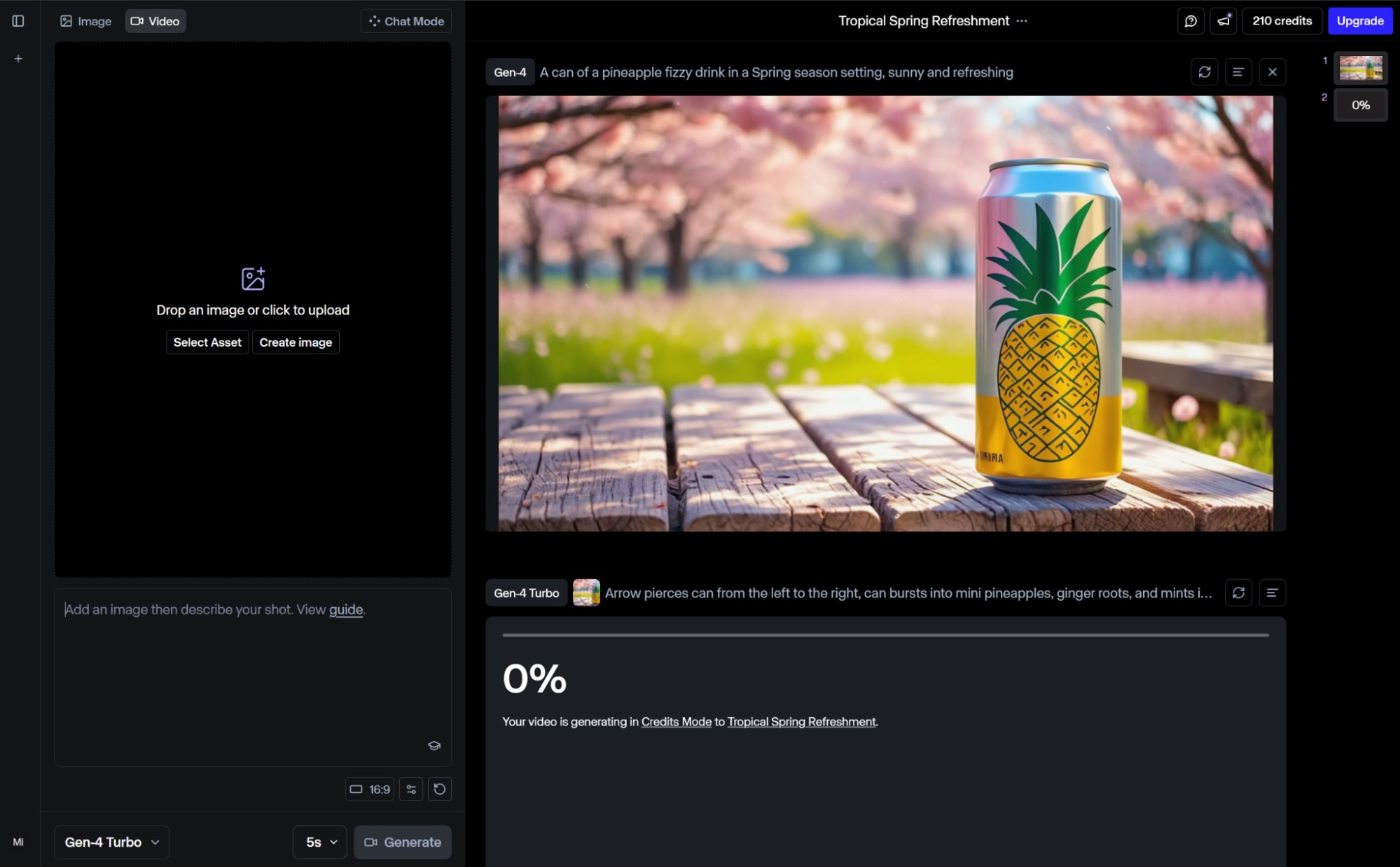
Image courtesy of Zapier
Runway offers advanced AI tools for generative AI video. Its Academy helps users sharpen their skills. Key features include:
-
Aleph model: Enables editing and transforming videos, changing angles, weather, or replacing objects.
-
Gen-4: Generates more dynamic output with higher quality.
-
Act Two: Transfers performances of real-world actors into any character.
A free plan is available for 125 one-time credits. The Standard plan at $15/month unlocks Gen-4 and Aleph, adds 625 monthly credits, removes watermarks, and provides higher export quality. Explore Runway’s features.
Sora
Sora, by OpenAI, is designed for community-driven inspiration and remixing. Accessible via ChatGPT, it offers:
-
Storyboard feature for adding scenes sequentially.
-
Remixing tools for editing and changing existing creations.
Sora is part of the ChatGPT Plus subscription at $20/month, offering 720p quality watermarked videos. The Pro plan at $200 removes the watermark, increases limits to 1080p, and extends video length to 20 seconds. Learn about Sora’s capabilities.
Descript
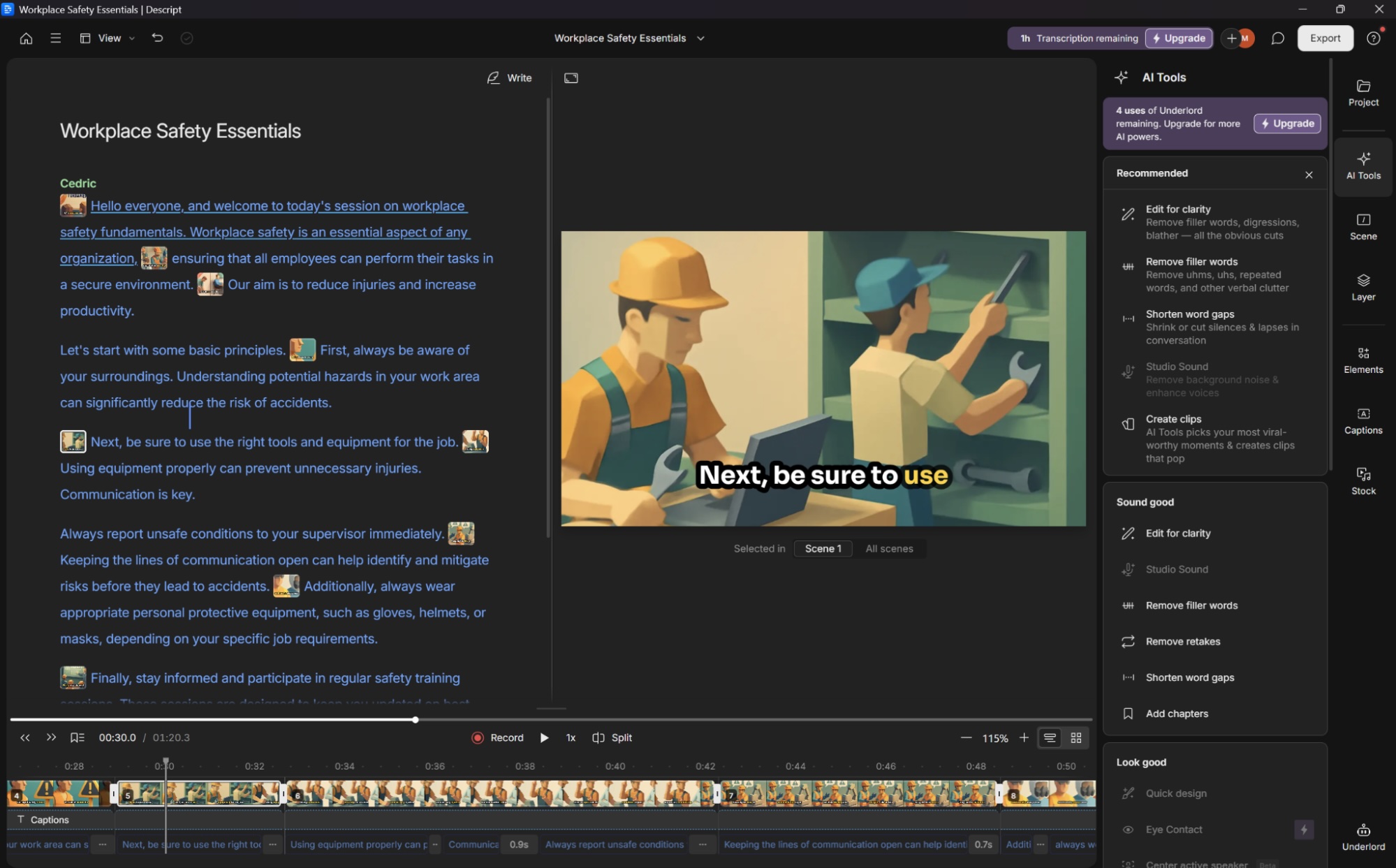
Image courtesy of Zapier
Descript excels at editing video by editing the script. Key features include:
-
Automatic transcript generation.
-
Video editing by highlighting and removing text from the transcript.
-
Scene division using forward slashes in the script.
-
Integration with a media library for adding B-roll.
-
Underlord toolkit for refining audio and generating highlights.
A free plan is available for up to 1 transcription hour. The Hobbyist plan at $24/user/month increases transcription to 10 hours, removes watermarks, and improves export quality to 1080p. Explore Descript’s editing features.
HeyGen AI
HeyGen AI is a tool for generating AI avatars that can translate videos with accurate lip sync and create videos from text or audio clips. It is known for its realistic facial expressions and body movements. HeyGen is best used alongside motion graphics and animated visuals for product demos and explainer videos. Discover HeyGen’s avatars.
Synthesia
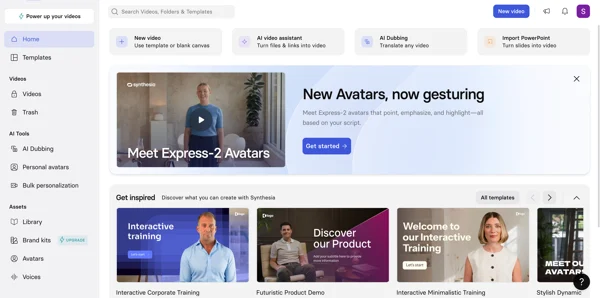
Image courtesy of G2
Synthesia is designed for creating realistic AI avatar videos at scale, suitable for corporate training, explainer content, and marketing videos. Key features include:
-
Customizable AI avatars.
-
AI voiceovers and one-click translation.
-
Bulk personalization for creating custom videos from a CSV file.
-
Support for 140+ languages.
Related News
-
 Data Privacy & Compliance
 AI Privacy Guidance: Simplifying Compliance for Businesses
Learn how OAIC’s new AI privacy guides help businesses and developers comply with laws, manage data responsibly, and build consumer trust in AI.
-
 Generative Engine Optimization
 Top 11 Generative Engine Optimization (GEO) Agencies for 2026
Navigate the future of search with Generative Engine Optimization (GEO). Learn essential strategies for AI Overviews, ChatGPT, and Perplexity. Get your brand seen!
-

AI Agents Transforming Customer Experience: The Future of CX
Discover how AI agents are revolutionizing customer experience by enhancing efficiency and personalization. Learn strategies for integration today!
-
 market research proxies
 Maximizing Market Research: How Proxies Provide a Competitive Edge
Struggling with market research data? Discover how proxies overcome geo-restrictions, IP blocks, and data integrity issues to provide a competitive edge. Learn proxy types & use cases now!