LinkedIn Automation Tools Compared: The Complete Guide for B2B Marketers in 2026

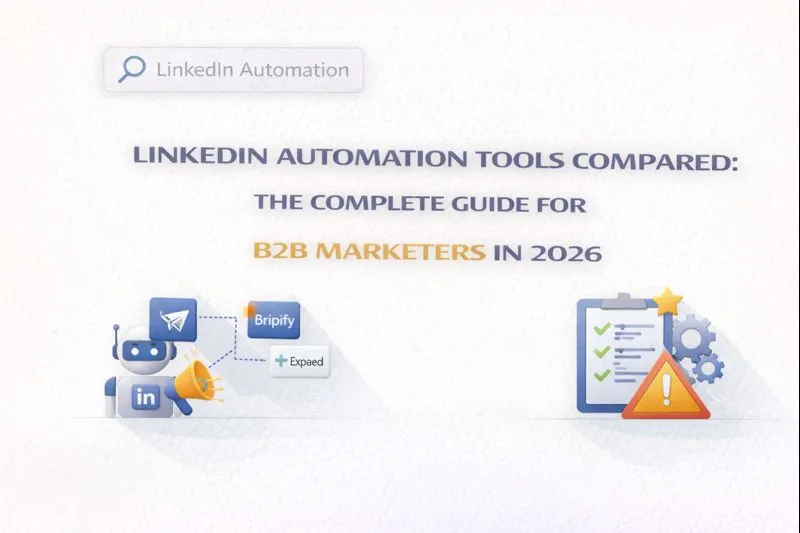
Expandi, Dripify, Dux-Soup, HeyReach, and Phantombuster are the LinkedIn automation tools B2B marketers rely on most for outreach at scale in 2026, each suited to a different budget and risk profile: Expandi and HeyReach for agencies that need dedicated IPs and multi-account management, Dripify for growing sales teams, Dux-Soup for the lowest cost of entry, and Phantombuster for teams that need data extraction alongside outreach. This guide compares current pricing, features, and safety ratings across eight platforms.
Outbound automation like this gets you in front of prospects who are already looking; it's worth pairing with visibility inside the AI tools buyers now ask for recommendations, which reaches the ones who haven't started looking yet.
What Are LinkedIn Automation Tools?
LinkedIn automation tools are software platforms that handle repetitive tasks on LinkedIn, including sending connection requests, follow-up messages, profile views, and engagement activities. These tools help B2B sales teams, recruiters, and marketers scale their outreach without spending hours on manual prospecting.
LinkedIn has more than 1 billion members in more than 200 countries and territories (LinkedIn, About LinkedIn, retrieved 2026-09-16), and it has become a primary channel for B2B lead generation. Automation tools allow professionals to maintain consistent outreach while focusing on high-value activities like closing deals and building relationships.
Why B2B Marketers Use LinkedIn Automation
The core benefits driving adoption include:
Time savings: Reduce 3+ hours of daily manual work to 30 minutes of reviewing results
Scale: Manage 500+ prospects simultaneously instead of 50
Consistency: Never miss a follow-up with automated sequences
Data insights: Track acceptance rates, response rates, and campaign performance
Multi-channel integration: Combine LinkedIn outreach with email campaigns
LinkedIn Automation Tools Comparison Table
Below is a side-by-side comparison of the most popular LinkedIn automation tools in 2025, including pricing, key features, and ideal use cases.
Tool | Starting Price | Key Features | Best For | Safety Rating |
|---|---|---|---|---|
Expandi | $99/month | AI sequences, dedicated IP, multi-channel, CRM integrations | Agencies, Enterprise teams | High - dedicated IP addresses |
Dripify | $39/month | Drip campaigns, email integration, A/B testing, team management | SMBs, Solo founders | Medium - cloud-based |
Dux-Soup | $14.99/month | Profile visits, connection requests, Chrome extension | Individual users, Budget-conscious | Medium - browser-based |
Phantombuster | $69/month | Data scraping, workflow automation, 100+ platform support | Growth hackers, Data teams | Medium - action limits required |
Linked Helper | $15/month | Desktop app, advanced sequences, CRM export | Power users, Recruiters | Low-Medium - requires device running |
HeyReach | $79/month | Multi-account rotation, agency dashboard, shared inbox | Agencies managing 50+ accounts | High - built for scale |
Waalaxy | €19-69/user/month | LinkedIn + email sequences, inbox management, templates | Sales teams, Multi-channel outreach | Medium - connection limits apply |
Meet Alfred | $59/month | LinkedIn, email, Twitter automation, team collaboration | Multi-platform marketers | Medium - smart sequencing |
Detailed Tool Analysis
1. Expandi: Best for Enterprise Teams and Agencies
Expandi has established itself as a premium LinkedIn automation platform built around AI-powered sequencing and dedicated-IP safety features, making it a top choice for teams prioritizing account security.
Key strengths:
Dedicated IP addresses assigned to each user, reducing detection risk
Dynamic personalization beyond basic variables for higher response rates
Smart inbox for managing multiple accounts efficiently
Webhooks and Zapier integration for CRM connectivity
Pricing: $99/seat per month, with a 7-day free trial (Expandi pricing, retrieved 2026-09-16)
2. Dripify: Best for Small Teams and Solo Founders
Dripify offers an accessible entry point into LinkedIn automation with its intuitive drip campaign builder. The platform works with LinkedIn Free, Premium, Sales Navigator, and Recruiter accounts, supporting up to 800 connection requests per month.
Key strengths:
Visual drip campaign builder with automated sequences
A/B testing for message optimization
Cloud-based operation (works when your device is off)
Built-in email finder for surfacing business contact addresses
Pricing: Basic $59/month, Pro $79/month, Advanced $99/month on monthly billing; each tier drops to roughly $39/$59/$79 on annual billing (Dripify pricing, retrieved 2026-09-16)
3. Dux-Soup: Best Budget Option for Beginners
Since 2015, Dux-Soup has set the standard for accessible LinkedIn automation (Dux-Soup, About, retrieved 2026-09-16). As a Chrome extension, it offers a lower barrier to entry while still providing essential automation features for lead generation and prospecting.
Key strengths:
Lowest price point in the market at $14.99/month
Simple setup with Chrome extension
Auto-visit profiles, send connection requests, and follow-up messages
One of the longest-operating tools in the category — in market since 2015
Pricing: Pro Dux $14.99/month, Turbo Dux $55/month, Cloud Dux $99/month (Dux-Soup pricing, retrieved 2026-09-16)
4. Phantombuster: Best for Data Extraction and Workflows
Phantombuster takes a different approach by focusing on data extraction and workflow automation across a wide range of platforms. Its "Phantoms" are individual automation scripts that perform specific actions, making it highly flexible for growth hackers and data teams.
Key strengths:
Scrape LinkedIn profiles, automate actions, and export to CRMs
Works across LinkedIn, Instagram, Twitter, and more
No-code workflow builder for custom automations
High-intent data collection before outreach
Pricing: Start $69/month, Grow $159/month, Scale $439/month (Phantombuster pricing, retrieved 2026-09-16; plans were previously named Starter/Pro/Team)
5. HeyReach: Best for Agencies Managing Multiple Accounts
HeyReach is purpose-built for lead generation agencies and sales teams managing high-volume LinkedIn outreach across multiple accounts. Its multi-account rotation and centralized inbox make it ideal for scaling operations.
Key strengths:
Manage 50+ LinkedIn sender accounts from one dashboard
Shared team inbox for all senders
White-label options for agencies
Advanced analytics and client management
Pricing: Growth $79/month, Agency $999/month (25 senders, expandable to 50), Unlimited $2,999/month (HeyReach pricing, retrieved 2026-09-16)
LinkedIn Automation Safety: How to Avoid Getting Banned
LinkedIn's User Agreement prohibits "software, devices, scripts, robots or any other means or processes (such as crawlers, browser plugins and add-ons...)" that scrape data or automate activity on the platform, and states that members who use such tools "risk having their accounts restricted or shut down" (LinkedIn Help, Prohibited software and extensions, retrieved 2026-09-16). In practice, enforcement tends to concentrate on aggressive, spam-like behavior rather than moderate, human-like automation — but LinkedIn does not publish an enforcement threshold, and any use of these tools carries some risk. Here's what you need to know to stay safer.
LinkedIn's Unofficial Daily Activity Limits
ANALYSIS: LinkedIn does not publish official rate limits for connection requests, messages, or profile views — automation itself violates its User Agreement, so there is no "compliant" limit to publish. The figures below are consolidated from LinkedIn automation vendors' own safety documentation and widely reported user experience, not from a LinkedIn source. Treat them as directional estimates, not guarantees.
Activity | Free Account | Sales Navigator |
|---|---|---|
Connection Requests | 10-20 per day | 20-25 per day |
Messages | 50 per day | 250 per day |
Profile Views | 80 per day | 500 per day |
Weekly Connection Limit | 100-150 total | 150-200 total |
7 Best Practices for Safe LinkedIn Automation
Start slow: New accounts should begin with 10-15 connection requests daily and gradually increase over 2-3 weeks
Use randomized delays: Choose tools that add random pauses between actions to mimic human behavior
Personalize messages: Avoid identical templates; use dynamic variables and AI personalization — personalized connection requests convert roughly 3x better than generic ones, per our data on what actually drives LinkedIn acceptance rates. Not all "AI personalization" delivers on that promise, though — see how AI is changing LinkedIn outreach (and why most tools get it wrong) for where mail-merge-style automation gets mistaken for real personalization
Maintain manual activity: Continue posting, commenting, and engaging manually alongside automation
Use dedicated IPs: Cloud-based tools with dedicated IP addresses reduce detection risk
Monitor your account: Watch for warning messages and immediately reduce activity if flagged
Spread activity over 10-12 hours: Avoid bursts of rapid activity that look suspicious
How to Choose the Right LinkedIn Automation Tool
Selecting the right tool depends on your specific needs, budget, and risk tolerance. Consider these factors: If you have not built your prospect list yet, Sales Navigator Boolean search is worth mastering before you automate outreach against it.
For Individual Users and Small Budgets
Start with Dux-Soup ($14.99/month) or Linked Helper ($15/month). Both offer essential features at accessible price points. Dux-Soup is simpler for beginners, while Linked Helper provides more advanced sequences for power users.
For Growing Sales Teams
Dripify ($39-99/month) or Waalaxy (€19-69/user/month) provide the right balance of features and affordability (Waalaxy pricing, retrieved 2026-09-16). Dripify excels at visual campaign building, while Waalaxy offers strong multi-channel capabilities.
For Agencies and Enterprise
Expandi ($99/month) or HeyReach ($79-2,999/month) are built for scale. Expandi prioritizes safety with dedicated IPs, while HeyReach enables managing dozens of accounts from a single dashboard.
For Data-Focused Growth Teams
Phantombuster ($69/month) stands alone for data extraction and cross-platform automation. If you need to scrape profiles, enrich data, and build custom workflows, Phantombuster is your tool.
Frequently Asked Questions
Is LinkedIn automation legal?
LinkedIn automation tools are not illegal, but they violate LinkedIn's Terms of Service. LinkedIn prohibits automated software for accessing their services. However, enforcement typically targets aggressive spam behavior rather than moderate, human-like automation. Using automation carries risk of account restrictions or bans.
How many connection requests can I send per day?
LinkedIn's unofficial daily limits are approximately 10-20 connection requests for free accounts and 20-25 for Premium/Sales Navigator. Weekly limits hover around 100-150 connections. Exceeding these limits significantly increases ban risk. New accounts should start with 10-15 requests daily and gradually increase over several weeks.
What's the difference between cloud-based and browser-based tools?
Cloud-based tools (like Expandi, Dripify) run on remote servers 24/7 without needing your computer on. They often include dedicated IP addresses for better safety. Browser-based tools (like Dux-Soup, Linked Helper) run as extensions or desktop apps, requiring your device to be active. Cloud tools are generally safer but more expensive.
Which LinkedIn automation tool is safest?
Expandi is widely considered the safest option due to its dedicated IP addresses, human behavior simulation, and activity controls. Dux-Soup also has a strong safety track record with no reported bans when following their guidelines. The safest approach combines any reputable tool with conservative daily limits and personalized messaging.
Can I use LinkedIn automation with a free account?
Yes, most automation tools work with free LinkedIn accounts. However, LinkedIn Premium or Sales Navigator provides higher daily limits, better search filters, and additional features that enhance automation effectiveness. Many tools recommend Premium or Sales Navigator for the best results and reduced detection risk — pairing it with Boolean search strings built for precise targeting makes sure automation only reaches people who actually match your ICP.
What happens if LinkedIn bans my account?
LinkedIn typically issues warnings before bans. Temporary restrictions last 24-48 hours and serve as warnings. If restricted, stop all automation immediately, let the restriction period pass, then resume with lower limits. Permanent bans are rare and usually result from repeated violations. Creating a new account while banned can trigger bans on all associated accounts.
Automation handles outreach volume, but the posts prospects see in their feed still need to earn attention on their own. See GrackerAI's anatomy of a viral LinkedIn B2B post for the hook-to-CTA structure behind posts that convert.
The Bottom Line
LinkedIn automation tools can dramatically scale your B2B lead generation efforts when used responsibly. The key is choosing a tool that matches your needs and budget while respecting LinkedIn's limits. Start conservative, personalize your outreach, and treat automation as a time-saver rather than a replacement for genuine relationship building.
For most B2B marketers, Dripify offers the best balance of features and affordability. Agencies should consider Expandi or HeyReach for enterprise-grade safety and multi-account management. Budget-conscious individuals can start with Dux-Soup and upgrade as their needs grow.
If you're assembling a lead-gen stack on a tight budget, it's also worth checking seasonal promo pricing across your shortlist — see our roundup of SaaS Black Friday deals for discount windows on tools spanning outreach, PPC, and automation.
Want to ensure your content gets discovered by AI search engines like ChatGPT, Perplexity, and Gemini? GrackerAI helps cybersecurity companies and other B2B SaaS companies optimize for AI search through AEO and GEO strategies. Get your free visibility analysis at Gracker.ai (7-day trial, credit card required to start).

![10 Best Local Rank Tracker Tools: In-Depth Comparison Guide [2025]](https://cdn.pseo.one/6abcb68a626591c40e1c8aa6/687e1c1ef6fe799d288518df/68809c373eb8562bcf68975d/10-best-local-rank-tracker-tools-comparison-guide/feature-image.jpg)